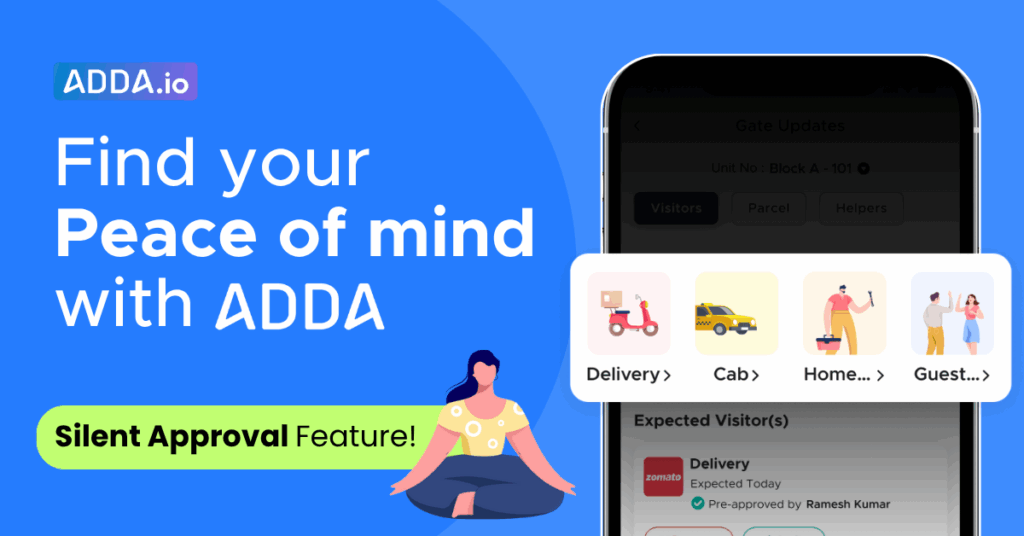
Too many visitor approval alerts breaking your peace of mind?
Picture this:
You’re taking a quick nap after a long, tiring day at work.
Just when you start to relax, your phone buzzes— ting, ting, ting
Visitor approval for grocery….
Visitor approval for food….
Visitor approval for medicine….
In seconds, your peaceful nap turns into another interruption.
These constant interruptions and delays made visitor entries unnecessarily stressful for residents and slow for visitors.
We’ve all been there.
But not anymore — ADDA’s new feature, Silent Approval, brings complete peace of mind: less interruption for you, faster entry for visitors.
Table of Contents
What is the Silent Approval feature?
ADDA’s Silent Approvals let you pre-approve more of your regular visitors —Deliveries, Cabs, Home Services, and Guests—so visitors can be checked in at the gate without interrupting you for an approval each time they come. All visitor details are still captured, and you would still be alerted when any visitor checks in. And the best part is that you’re always in control, turn Silent Approvals ON or OFF anytime based on your needs.
Default Settings for Silent Approvals
Here’s how Silent Approvals will work when you open it for the first time:
For new users:
- Deliveries: Silent Approvals will be ON by default, so all delivery partners are approved silently.
- Cabs, Home Services, and Guests: These will be OFF by default, and you can turn them ON anytime you prefer.
For existing users:
- If you’ve already allowed auto-approvals for all delivery companies, Silent Approvals will automatically be ON for all deliveries.
- If you’ve set auto-approvals for specific delivery companies, Silent Approvals will be ON only for those same companies.
- Cabs, Home Services, and Guests will start OFF by default, and you can enable them anytime from the app.
Benefits:
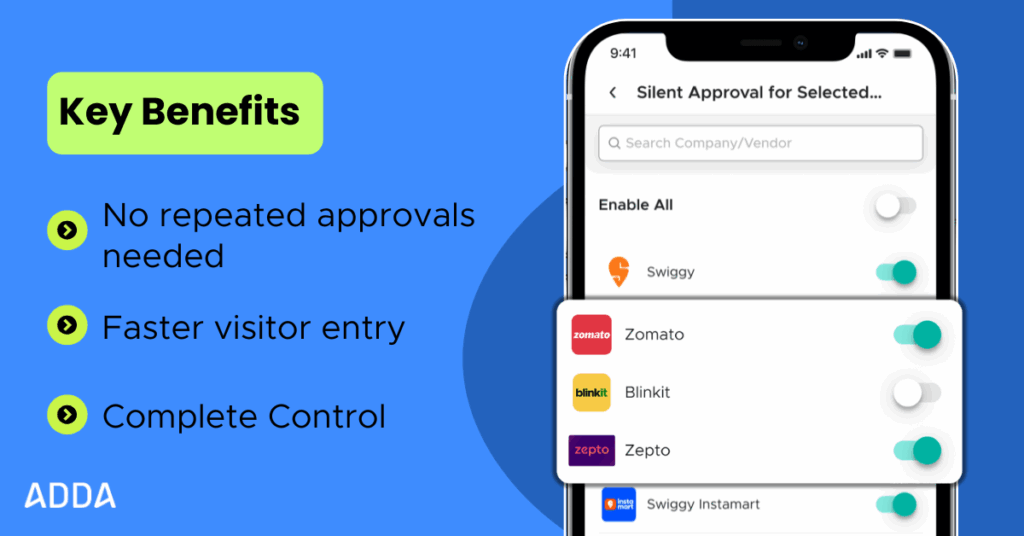
- You won’t be interrupted repeatedly, since you no longer need to approve the same visitors again and again.
- The gate experience becomes faster, as guards don’t have to wait for your approval, and visitors can enter your premises quickly..
- You remain in complete control, with the option to turn Silent Approvals ON or OFF anytime.
How it works:

Step 1: Tap on Silent approvals in the gate updates section on the ADDA app homepage.
Step 2: Choose the visitor you want to pre-approve — Deliveries, Cabs, Home Services, or Guests.
In case of deliveries
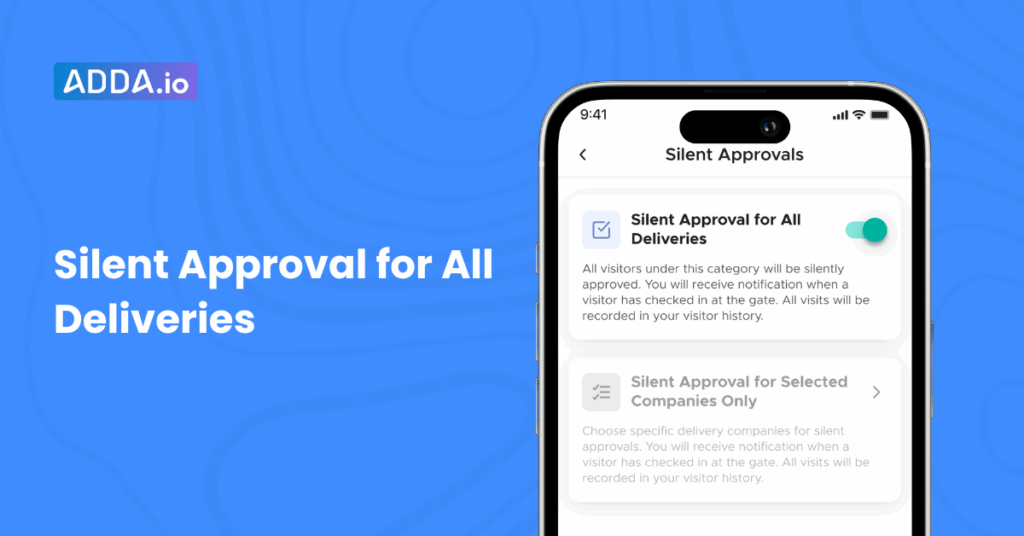
- Option A: Silent Approval for All Deliveries
Turn this ON to allow every delivery company to be pre-approved . You’ll still receive a “checked-in” alert when the delivery partner enters your premises. Turn OFF anytime if you want to go back to manual approvals.
Option B: Silent Approval for Selected Companies Only
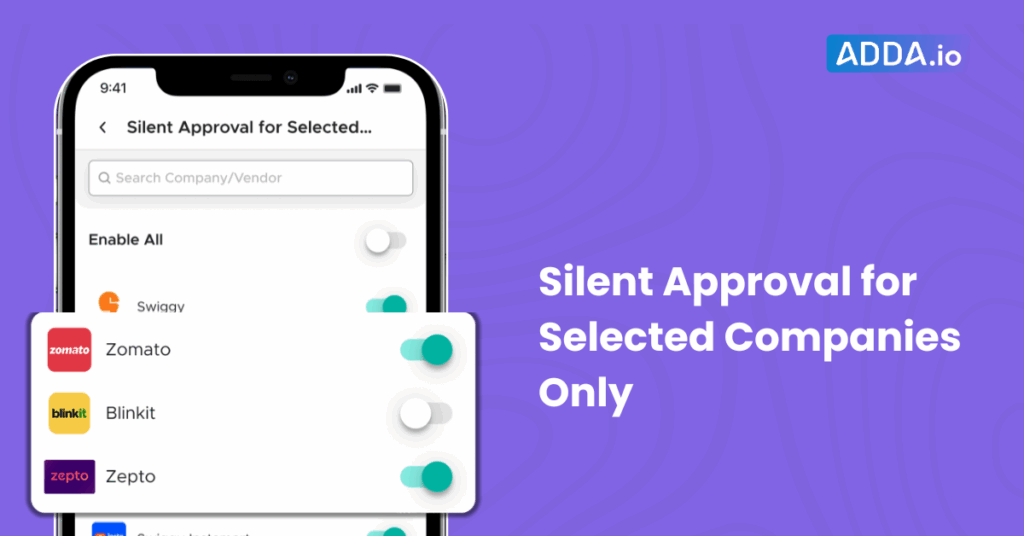
If you prefer company-wise control, choose which delivery companies should be pre-approved (e.g., Flipkart, Amazon or Zomato). You’ll still receive a “Checked-in” alert for every delivery partner entry. Any company not selected will continue to require your manual approval.
Please Note- When you turn on company-wise control, Silent Approvals will apply to all delivery companies, including those that are not yet listed in the ADDA app.
Conclusion:
Silent Approvals removes the constant “Visitor Approve interruptions”, Enable Silent Approvals for your routine visitors—Delivery, Cabs, Home Services, or Guests—and enjoy faster visitor entries without the extra effort..
Reach out to our support team for any query- support@adda.io