It’s a Saturday afternoon.
Priya booked a Party Hall in her community clubhouse for her daughter’s birthday three weeks ago. The party hall she booked is actually part of a larger community hall. For small gatherings, the association partitions part of the hall and makes it available for booking. Priya was not inviting many kids to the party, so she opted for the smaller hall.
She WhatsApp’d the MC secretary, got a confirmation, and paid. She spent the next two weeks planning cake, decorations, return gifts, and a little entertainment for the kids.
Today is the day. The hall looks exactly how she imagined. Balloons everywhere, decorations up, snacks on the table. Twenty kids are on their way, and Priya is just happy it all came together.
But just before the party starts, a corporate team walks in. Laptops, a projector, and folding chairs. They booked the full Community Hall four days ago. A different MC member checked the booking spreadsheet, saw nothing blocking the Community Hall, and confirmed their booking.
Why does such confusion and chaos often happen in large communities?
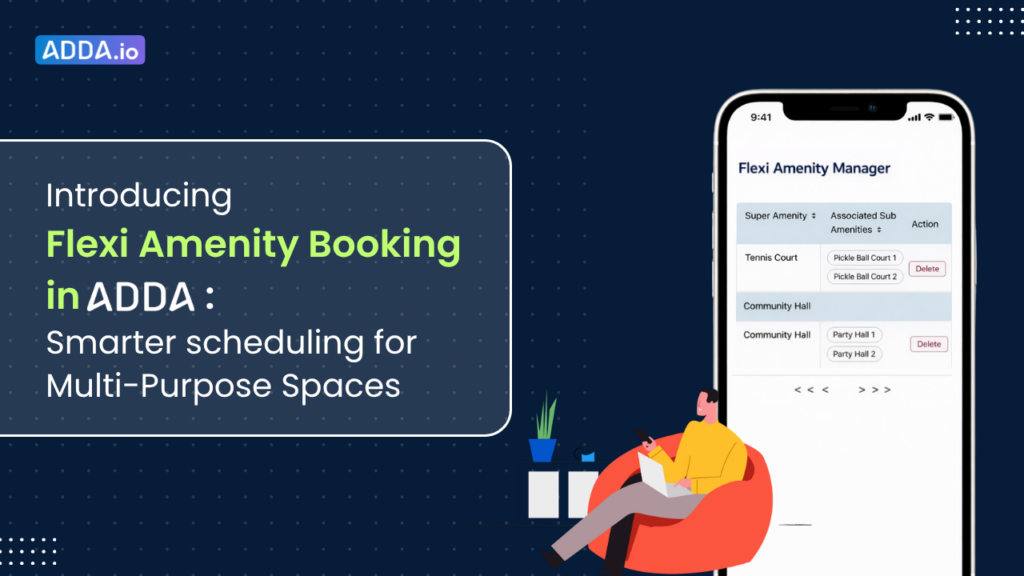
In large communities, there are often amenities that are flexibly used for multiple purposes. For example: A tennis court, which can be turned into 2 pickleball courts. Or a large community hall, which can be booked in its entirety or can be booked as 2 smaller, partitioned halls. Such amenities are usually called flexi amenities.
Managing amenity bookings without a robust amenity booking system is, anyway, tedious and inconvenient for residents. The problems multiply manifold when such complexities, like Flexi Amenities, are also to be dealt with.
To avoid the problems outlined above, such as the double-booking that occurred in Priya’s case, ADDA has launched Flexi Amenity, a feature that automatically manages linked space bookings so conflicts like this never occur.
Table of Contents
The Challenge Residential Societies Face with Shared Community Spaces
Most communities are managing shared facilities the old-fashioned way, and it’s not working anymore, as it causes a lot of confusion. Here are some of the common challenges faced by housing societies managing shared spaces manually.
Linked spaces are impossible to track manually
When a community hall is divided into smaller spaces, tracking availability manually just does not work. If Party Hall 1 and Party Hall 2 are both booked, the full Community Hall should automatically be unavailable.
And if the full hall is booked, neither party hall should be available, but again, nobody can see that connection. So entries get made independently, nobody catches the conflict, and two residents end up at the same door.
Such dependencies and visibility around bookings are very difficult to manage with spreadsheets or unproven ERPs.
Wrong booking done, as the amenity booking system confirms without checking conflicts
When a resident books a space, the system says confirmed. This is often the case with unproven ERPs. It does not check if a linked space is already taken. So two residents can end up with valid bookings for the same physical space without either of them knowing.
For example, a tennis court in a community also works as two pickleball courts. One resident books the tennis court. Another book a pickleball court on the same day. Both get confirmation. When they reach the venue, they realise it is double-booked. Neither wants to give up the space.
Conflicts arise among residents, for which the MC members often step in
When two residents show up for the same space, the security guard is the first one to face it. He has no authority to cancel a booking. All he can do is call someone from the MC.
Now, an MC member has to drop everything, get on a call, and figure out who gets the space and who goes back home. It is uncomfortable, it takes time, and it keeps happening. The problem is never the people. The problem is that most communities use systems which are just not built for complexities like this.
Introducing Flexi Amenity for Shared Spaces
Most booking systems treat every amenity as a separate space. Flexi Amenity is built exactly for this. It understands that some spaces in your community are physically connected and manages their availability accordingly.
All you have to do is go into ADDA and link the spaces that share the same physical area. That’s it. From that point, the system handles everything automatically.
Say someone books the Banquet Hall for Saturday evening. The moment that booking is confirmed, Party Hall 1 and Party Hall 2 are blocked for the same slot. No one can book the same slot now.
And it works the other way too. If Party Hall 1 is booked, the Banquet Hall gets blocked automatically. But Party Hall 2 is still open for someone else to book independently.
Residents open the app and see what is actually available. It doesn’t cause any confusion, and residents don’t have to double-check with an MC member. If it shows available, it is available.
Benefits of Flexi Amenity for Housing Societies
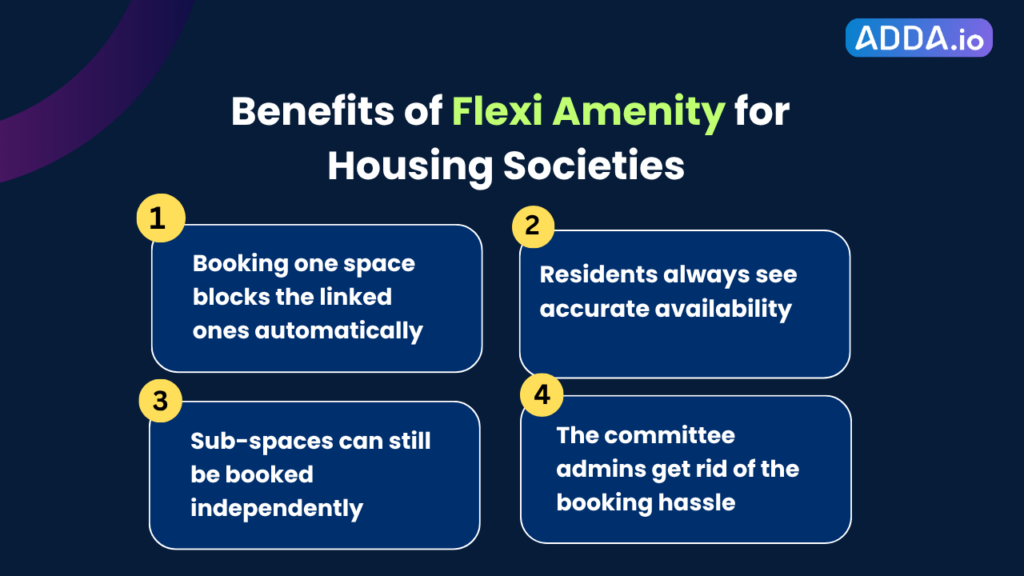
When you set up linked spaces in ADDA, the system handles the rest of the operations automatically.
Booking one space blocks the linked ones automatically
When a resident books the Banquet Hall, Party Hall 1 and Party Hall 2 are immediately blocked for that slot. No one has to do it manually. No one has to send a message. It happens the moment the booking is confirmed.
Residents always see accurate availability
When a resident opens the app, what they see is accurate. If a slot is showing as available, it genuinely is. There is no gap between what the app shows and what is actually happening on the ground.
Sub-spaces can still be booked independently
Flexi Amenity does not reduce flexibility. If the Banquet Hall is free but Party Hall 1 is taken, Party Hall 2 can still be booked on its own. Communities get full utilisation of their spaces without conflicts.
The committee admins get rid of the booking hassle
Every time a shared space gets double-booked, someone from the MC has to step in, make calls, and sort it out. Once the spaces are configured in ADDA, none of that happens. The system handles it on its own, and MC members can focus on things that actually matter.
How to Set It Up in ADDA
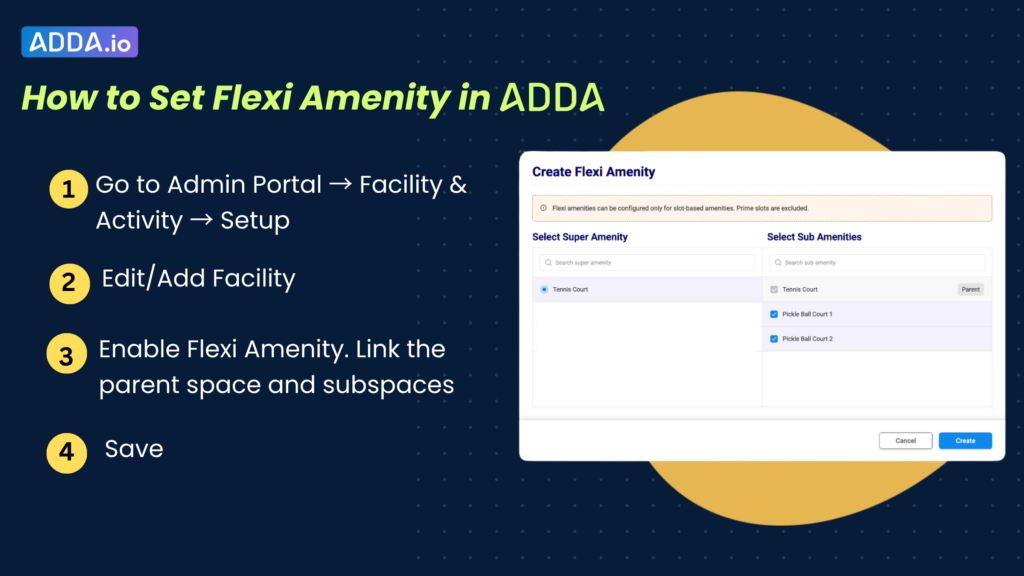
Flexi Amenity is available now in the ADDA ERP Admin Portal. Setup takes just a few minutes and requires no technical expertise.
- Go to Admin Portal → Facility & Activity → Setup
- Select Add Facility or Edit an existing one
- Link the parent space and the subspaces that belong to it
- Save, your booking logic is now live
You can configure multiple Flexi Amenity groups across different spaces in your community, each with its own parent-child setup.
What a Real Community Experience Looks Like
Remember Priya
She booked Party Hall 1 a month in advance for her daughter’s birthday. Paid, confirmed, planned everything. And then on that day, a corporate team walked in with a valid booking for the Banquet Hall, which includes Party Hall 1. Two valid bookings, but only one space. The MC spent the rest of the day managing the fallout.
Now, imagine the same community after Flexi Amenity is set up in ADDA.
Priya opens the app, picks Party Hall 1, and selects her slot. The moment she confirms, the Banquet Hall is automatically blocked for that time. No one has to do anything. No message needs to go out. The system handles it.
That evening, another resident opens the app to book the Banquet Hall for the same slot. It shows as unavailable. He picks a different time, books it, and moves on. No confusion. No calls to the MC.
On the day of the party, Priya arrives to find the hall exactly as she expected. The decorators are there. The caterers are setting up. Nobody walks in with a conflicting booking. The MC treasurer’s phone stays quiet.
The security guard has nothing to sort out. The MC has nothing to fix. And Priya’s daughter has the birthday she deserved.
That is what changes when the right system is in place. Not just for one resident, for every resident, every booking, every time.