ADDA Software Updates

Running your community just got a whole lot easier.


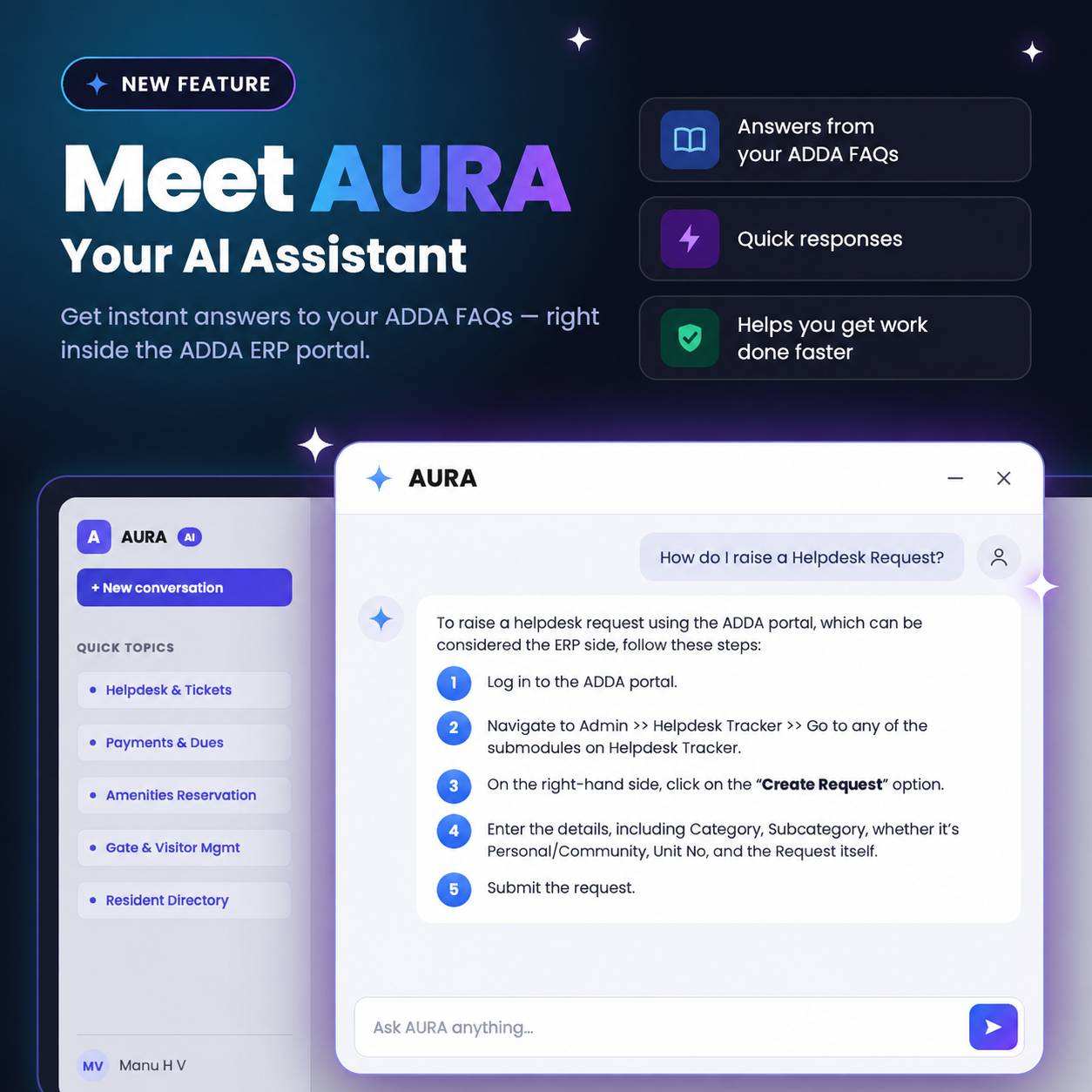
Instead of searching through lengthy FAQs or waiting for support, simply ask AURA how any feature or setting on ADDA works:

  • "How do I automate late fees?"
  • "How do I pass journal entries?"
  • "How do I create helpdesk request?"


AURA gives you instant , click-by-click instructions right when you need them. Zero training, zero guesswork.


Log into your ADDA Admin Portal today and experience effortless community management!

Problem

Admin accounts protected only by passwords are vulnerable to credential theft and unauthorized access. Since communities rely on ADDA to manage sensitive resident and operational data, stronger and consistent security across both ERP and Admin App is required.


What's Changed

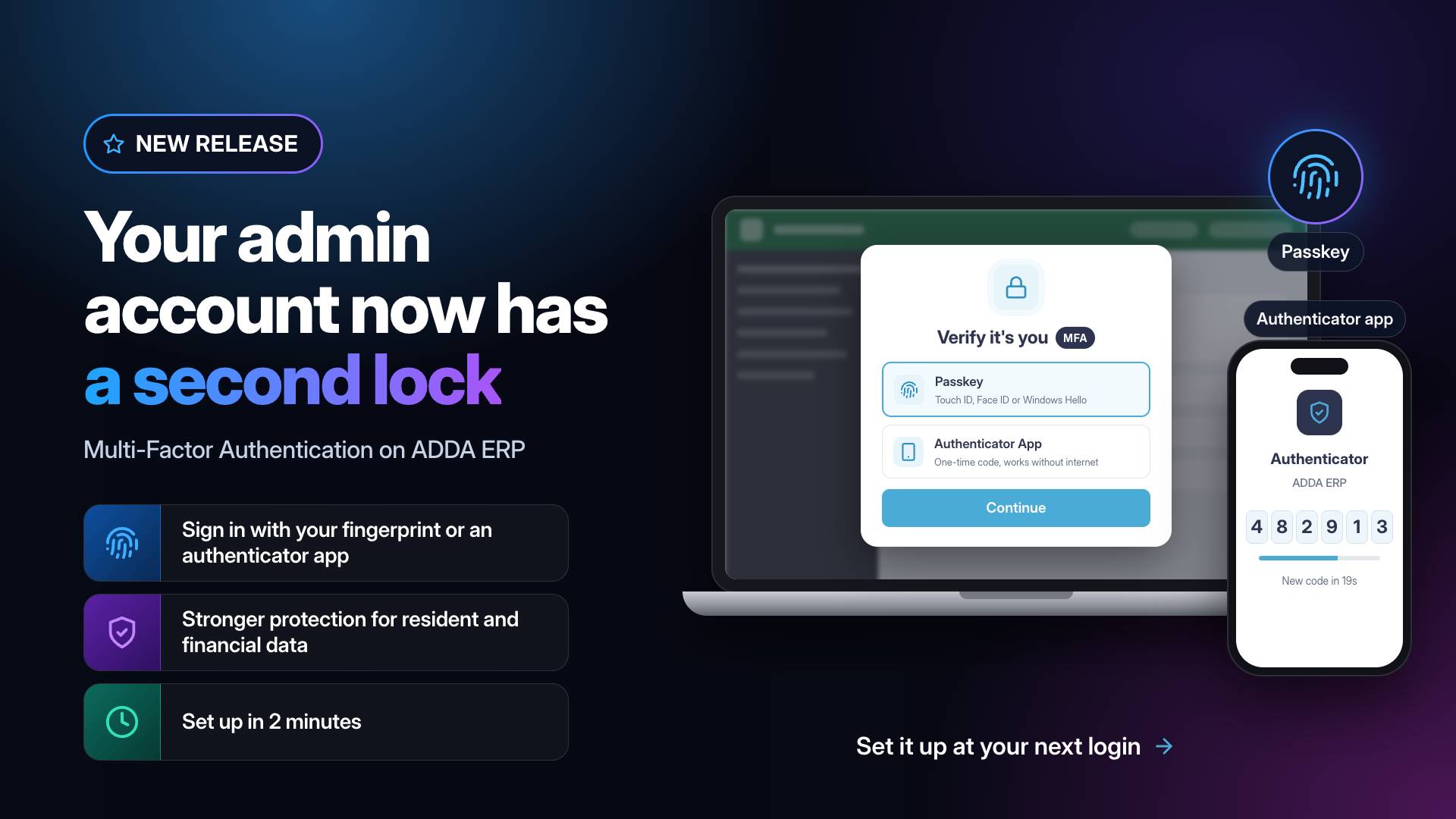
- Multi-Factor Authentication (MFA) is now rolled out to every admin and office staff account, with a 30-day grace period during which setup can be skipped. After that, MFA becomes mandatory and cannot be turned off.

- Admins and office staff can set up MFA, add a second method, and choose their default method from Security settings in ERP.

- MFA is now integrated across ERP and Admin App login flows:

      * Users without MFA are prompted to set it up.

      * Users past their grace period are blocked until setup is complete.

      * Users with MFA already set up are asked to verify at every login.

- Supported methods: Authenticator App (TOTP) and Passkey (Touch ID, Face ID, Windows Hello, device PIN).

- Registered phone number (SMS OTP) is available as a fallback when the primary method isn't accessible.

Where

➡️ ERP Admin App → Login Flow

➡️ ERP → Profile / Preferences → Security


Key Benefits

1. Stronger account security – even a compromised password alone can't grant access.

2. Unified cross-platform experience – MFA is set up once and applies across ERP and Admin App.

3. Secure by default – every admin gets a 30-day window to set up MFA at their own pace, with no lockouts thanks to the phone fallback.

4. Modern, phishing-resistant methods – Passkey support means no codes to type.


Problem

Admins were often unaware of the new features and enhancements available to them in the ERP. Release updates were primarily communicated through the What’s New section, which had low visibility and was not regularly visited by most admins.


As a result, important product updates were easily missed, causing newly released features to remain underutilized and impacting overall feature adoption.


What’s Changed

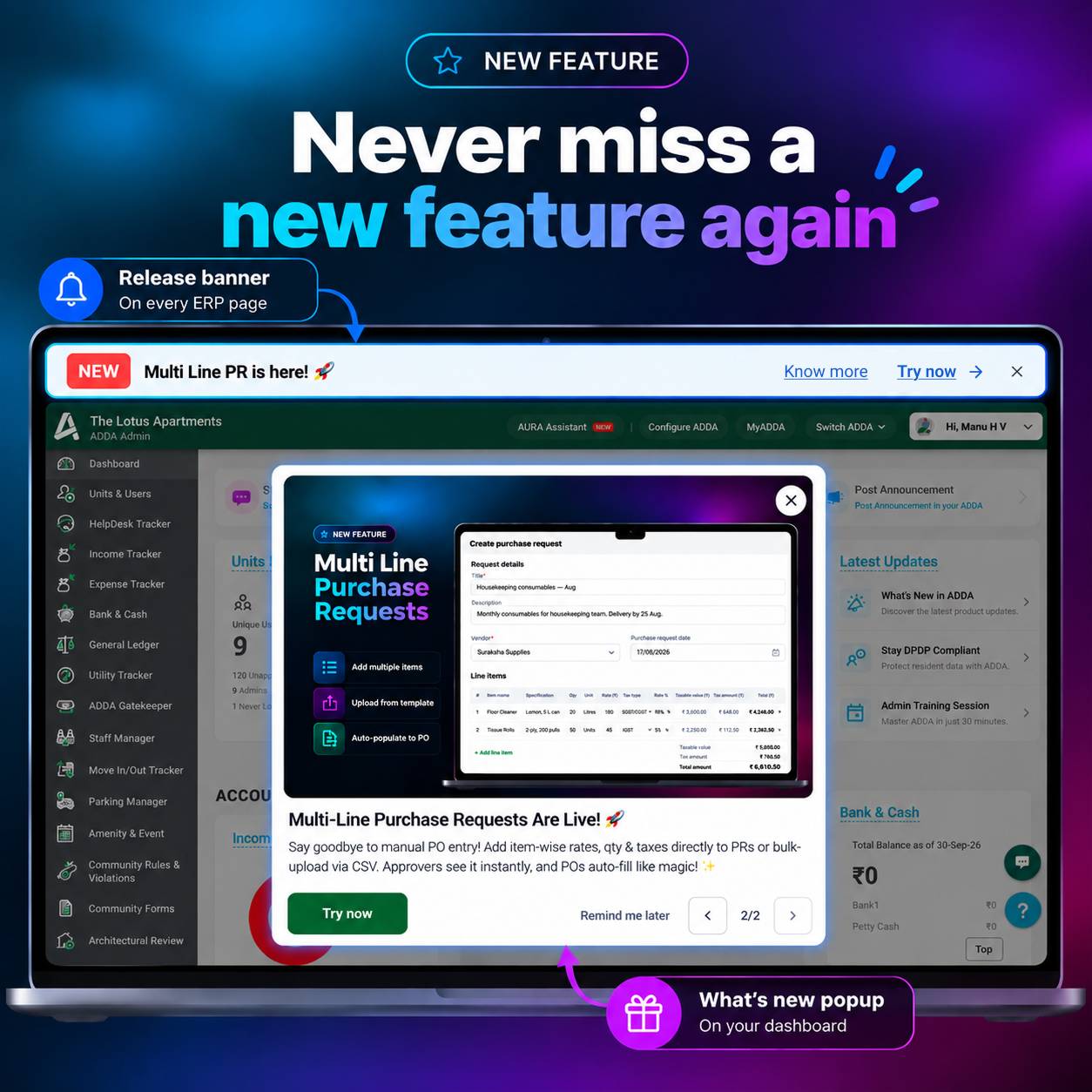
  • A persistent release banner now announces the latest release on every ERP page, with a Try now button that opens the feature directly, and a Know more button that takes the user to a help article with further detail.
  • A popup on the dashboard walks admins through any updates they haven't seen yet, one at a time, oldest first, with image and a short description for each.
  • Admins can defer an update with *“Remind me later”* (returns in 48 hours) instead of losing it entirely.


Where

  • ERP → All pages → Release banner
  • ERP → Dashboard → What's new popup


Key Benefits

Faster discovery: Admins see new features the moment they log in, not weeks later by accident.


Direct action: Try now opens the feature itself, no searching for where it lives.


Nothing gets lost: Later and automatic module and region targeting mean updates reach the right admins and stay reachable until they're ready.

Problem

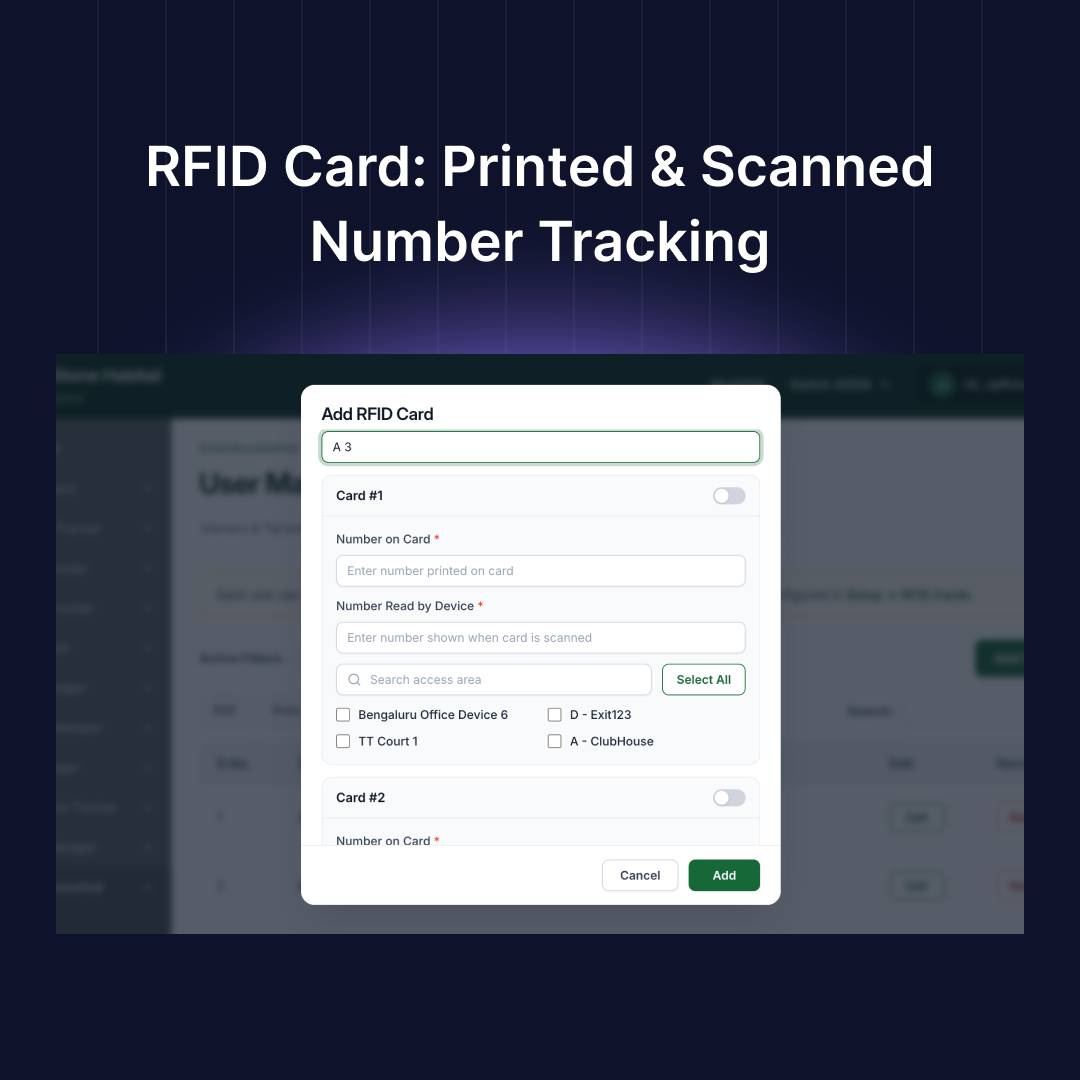
Security staff often see a mismatch between the number printed on an RFID card and the number the scanning device reads. Since the system currently stores only one RFID field, this mismatch looks like an error or invalid card, causing confusion even though the card is valid.


What’s Changed

  • The "RFID" field in the Manage RFID Cards popup is now split into two fields, "Number on Card" and "Number Read by Device".
  • Admins can enter or edit both values while adding or editing an RFID card, in both the Add and Edit popups.
  • "Number Read by Device" retains the existing scan-to-fill functionality, and stays editable after scanning.
  • Both numbers are now shown wherever RFID card details appear, so admins and security staff can cross-reference either one.


Where

ERP → SmartAccessHub → User Management → Manage RFID Cards → Add/Edit RFID Card


Key Benefits

Faster Gate Resolution - Security staff can instantly cross-check a printed number against the system, without escalating to the admin office.

Fewer False Denials - A printed/scanned mismatch no longer looks like an invalid card, reducing entry delays for residents.

Clear Record Keeping - Admins have both references saved from the start, so troubleshooting a card doesn't need a physical inspection.

Problem

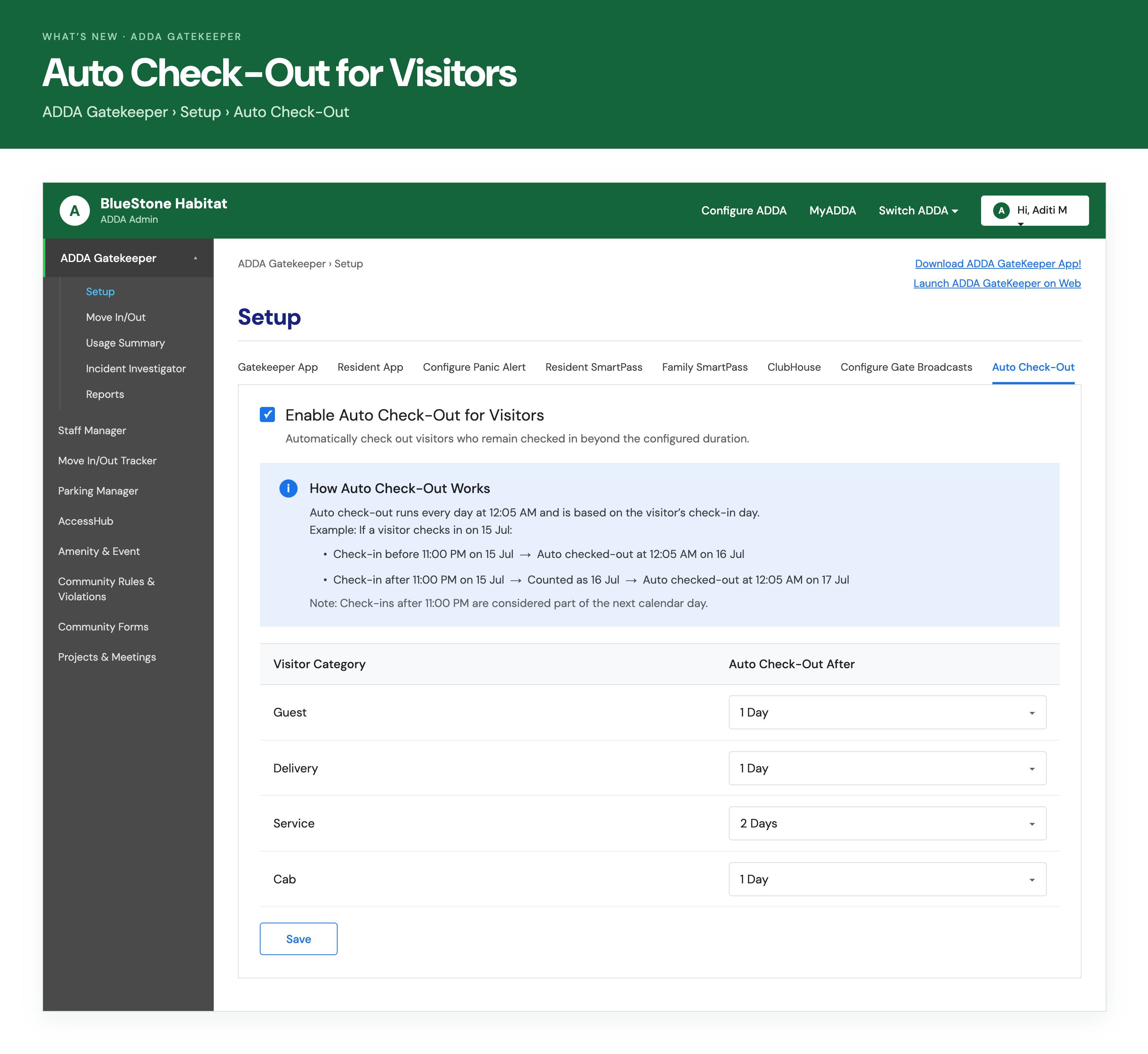
Guards frequently forget to manually check out visitors, causing repeat visitors to appear as still "checked in" on re-entry and creating extra manual work at the gate.


What's Changed

- Admins can now enable Auto Check-Out for visitors from a new dedicated tab in Gatekeeper Setup.

- For each visitor category, admins set a check-out cutoff of 1 Day, 2 Days, or choose to exclude that category entirely.

- This behavior applies consistently across Gatekeeper App, GK Global Web/web app, and GK Minus.

- Reports showing checkout data now include a "Checked-Out By" column, showing whether a checkout was done by a guard or by the system.


Where

➡️ ERP → ADDA Gatekeeper → Setup → Auto Check-Out tab

➡️ ERP → ADDA Gatekeeper → Reports / Incident Investigator → Visitors


Key Benefits

1. Less manual cleanup — guards no longer need to remember to check out every visitor.

2. More accurate visitor logs — fewer stale "still checked in" records, with clear visibility into who or what closed them out.

3. Faster re-entry processing — repeat visitors aren't blocked by an old, unclosed entry.

Problem:

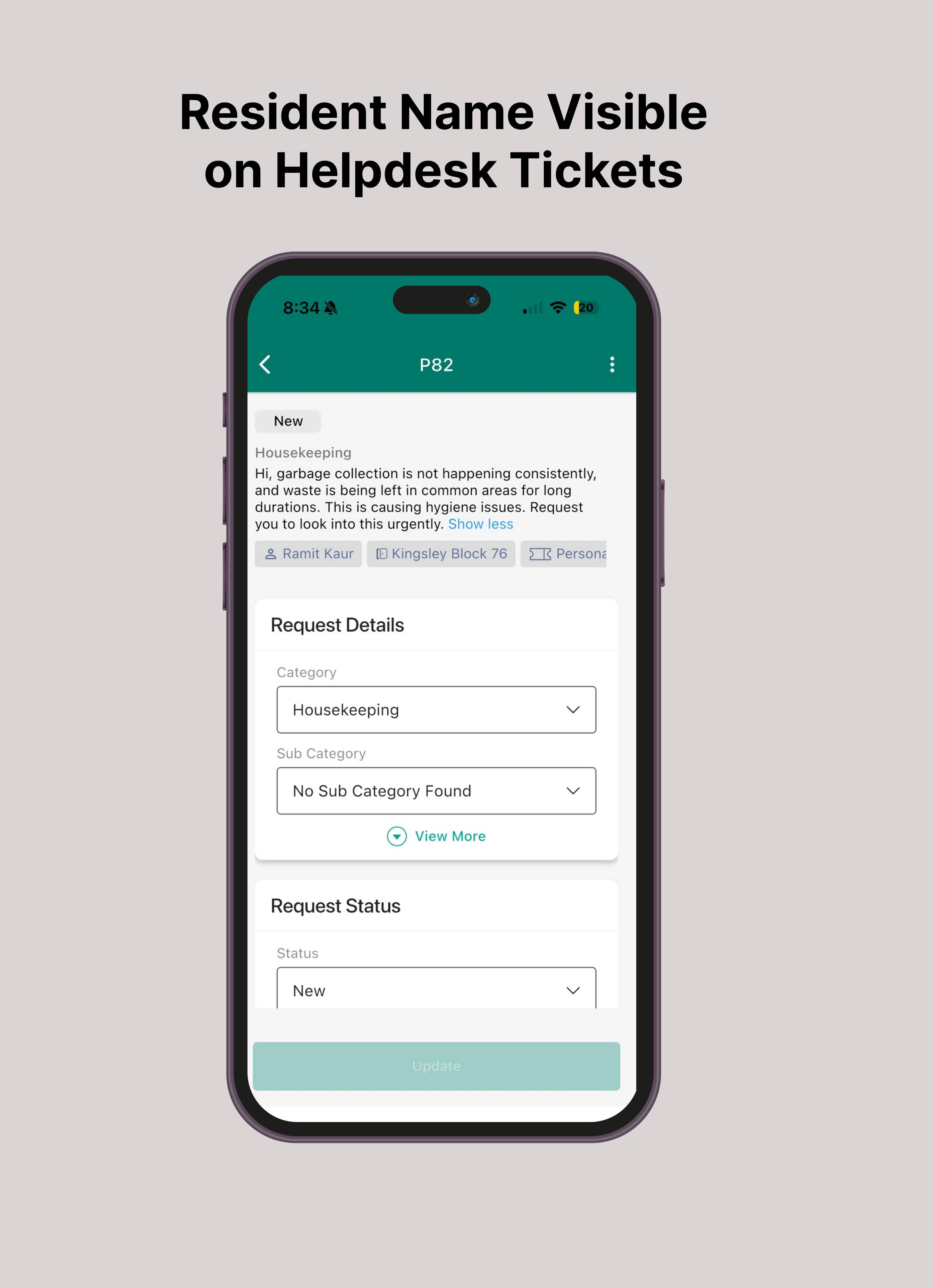
When a resident raises a Helpdesk ticket, the ACM App only shows the Block and Unit Number — not the resident's name. This makes it hard for the Facility Maxnagement team to identify the ticket owner, especially when multiple family members or tenants share the same unit, often requiring extra calls or manual cross-checking.


What's Changed:

The Resident's Name is now shown along with the Block and Unit Number on Helpdesk tickets in the ACM App.


Where:

➡️ ACM App → Helpdesk → Request


Key Benefits

- Faster ticket identification, no manual verification needed.

- Less confusion when multiple residents or tenants share a unit.

- Quicker, more accurate resolution with direct communication to the right resident.

How many times have you created the same vendor? ​​​​​​​​​​​​​​​​​​​​​​​​​​​​​​​​​​​​​​​​​​​​​​​​​​​​​​​​​​​​​​​​​​​​​​​​​​​​​​​​​​​​​​​​​​​​​​​​​​​​​​​​​​​​​​​​​​​​​​​​​​​​​​​​​​​​​​​​​​​​​​​​​​​​​​​​​​​​​​​​​​​​​​​​​​​​​​​​​​​​​​​​​​​​​​​​​​​​​​​​​​​​​​​​​​​​​​​​​​​​​​​​​​​​​​​​​​​​​​​​​​​​​​​​​​​​​​​​​​​​​​​​​​​​​​​​​​​​​​​​​​​​​​​​​​​​​​​​​​​​​​​​​​​​​​​​​​​​​​​​​​​​​​​​​​​​​​​​​​​​​​​​​​​​​​​​​​​​​​​​​​​​​​​​​​​​​​​​​​​​​​​​​​​​​​​​​​​​​​​​​​​​​​​​​​​​​​​​​​​​​​​​​​​​​​​​​​​​​​​​​​​​​​​​​​​​​​​​​​​​​​​​​​​​​​​​​​​​​​​​​​​​​​​​​​​​​​​​​​​​​​​​​​​​​​​​​​​​​​​​​​​​​​​​​​​​​​​​​​​​​​​​​​​​​​​​​​​​​​​​​​​​​​​​​​​​​​​​​​​​​​​​​​​​​​​​​​​​​​​​​​​​​​​​​​​​​​​​​​​​​​​​​​​​​​​​​​​​​​​​​​​​​​​​​​​​​​​​​​​​​​​​​​​​​​​​​​​​​​​​​​​​​​​​​​​​​​​​​​​​​​​​​​​​​​​​​​​​​​​​​​​​​​​​​​​​​​​​​​​​​​​​​​​​​​​​​​​​​​​​​​​​​​​​​​​​​​​​​​​​​​​​​​​​​​​​​​​​​​​​​​​​​​​​​​​​​​​​​​​​​​​​​​​​​​​​​​​​​​​​​​​​​​​​​​​​​​​​​​​​​​​​​​​​​​​​​​​​​​​​​​​​​​​​​​​​​​​​​​​​​​​​​​​​​​​​​​​​​​​​​​​​​​​​​​​​​​​​​​​​​​​​​​​​​​​​​​​​​​​​​​​​​​​​​​​​​​​​​​​​​​​​​​​​​​​​​​​​​​​​​​​​​​​​​​​​​​​​​​​​​​​​​​​​​​​​​​​​​​​​​​​​​​​​​​​​​​​​​​​​​​​​​​​​​​​​​​​​​​​​​​​​​​​​​​​​​​​​​​​​​​​​​​​​​​​​​​​​​​​​​​​​​​​​​​​​​​​​​​​​​​​​​​​​​​​​​​​​​​​​​​​​​​​​​​​​​​​​​​​​​​​​​​​​​​​​​​​​​​​​​​​​​​​​​​​​​​​​​​​​​​​​​​​​​​​​​​​​​​​​​​​​​​​​​​​​​​​​​​​​​​​​​​​​​​​​​​​​​​​​​​​​​​​​​​​​​​​​​​​​​​​​​​​​​​​​​​​​​​​​​​​​​​​​​​​​​​​​​​​​​​​​​​​​​​​​​​​​​​​​​​​​​​​​​​​​​​​​​​​​​​​​​​​​​​​​​​​​​​​​​​​​​​​​​​​​​​​​​​​​​​​​​​​​​​​​​​​​​​​​​​​​​​​​​​​​​​​​​​​​​​​​​​​​​​​​​​​​​​​​​​​​​​​​​​​​​​​​​​​​​​​​​​​​​​​​​​​​​​​​​​​​​​​​​​​​​​​​​​​​​​​​​​​​​​​​​​​​​​​​​​​​​​​​​​​​​​​​​​​​​​​​​​​​​​​​​​​​​​​​​​​​​​​​​​​​​​​​​​​​​​​​​​​​​​​​​​​​​​​​​​​​​​​​​​​​​​​​​​​​​​​​​​​​​​​​​​​​​​​​​​​​​​​​​​​​​​​​​​​​​​​​​​​​​​​​​​​​​​​​​​​​​​​​​​​​​​​​​​​​​​​​​​​​​​​​​​​​​​​​​​​​​​​​​​​​​​​​​​​​​​​​​​​​​​​​​​​​​​​​​​​​​​​​​​​​​​​​​​​​​​​​​​​​​​​​​​​​​​​​​​​​​​​​​​​​​​​​​​​​​​​​​​​​​​​​​​​​​​​​​​​​​​​​​​​​​​​​​​​​​​​​​​​​​​​​​​​​​​​​​​​​​​​​​​​​​​​​​​​​​​​​​​​​​​​​​​​​​​​​​​​​​​​​​​​​​​​​​​​​​​​​​​​​​​​​​​​​​​​​​​​​​​​​​​​​​​​​​​​​​​​​​​​​​​​​​​​​​​​​​​​​​​​​​​​​​​​​​​​​​​​​​​​​​​​​​​​​​​​​​​​​​​​​​​​​​​​​​​​​​​​​​​​​​​​​​​​​​​​​​​​​​​​​​​​​​​​​​​​​​​​​​​​​​​​​​​​​​​​​​​​​​​​​​​​​​​​​​​​​​​​​​​​​​​​​​​​​​​​​​​​​​​​​​​​​​​​​​​​​​​​​​​​​​​​​​​​​​​​​​​​​​​​​​​​​​​​​​​​​​​​​​​​​​​​​​​​​​​​​​​​​​​​​​​​​​​​​​​​​​​​​​​​​​​​​​​​​​​​​​​​​​​​​​​​​​​​​​​​​​​​​​​​​​​​​​​​​​​​​​​​​​​​​​​​​​​​​​​​​​​​​​​​​​​​​​​​​​​​​​​​​​​​​​​​​​​​​​​​​​​​​​​​​​​​​​​​​​​​​​​​​​​​​​​​​​​​​​​​​​​​​​​​​​​​​​​​​​​​​​​​​​​​​​​​​​​​​​​​​​​​​​​​​​​​​​​​​​​​​​​​​​​​​​​​​​​​​​​​​​​​​​​​​​​​​​​​​​​​​​​​​​​​​​​​​​​​​​​​​​​​​​​​​​​​​​​​​​​​​​​​​​​​​​​​​​​​​​​​​​​​​​​​​​​​​​​​​​​​​​​​​​​​​​​​​​​​​​​​​​​​​​​​​​​​​​​​​​​​​​​​​​​​​​​​​​​​​​​​​​​​​​​​​​​​​​​​​​​​​​​​​​​​​​​​​​​​​​​​​​​​​​​​​​​​​​​​​​​​​​​​​​​​​​​​​​​​​​​​​​​​​​​​​​​​​​​​​​​​​​​​​​​​​​​​​​​​​​​​​​​​​​​​​​​​​​​​​​​​​​​​​​​​​​​​​​​​​​​​​​​​​​​​​​​​​​​​​​​​​​​​​​​​​​​​​​​​​​​​​​​​​​​​​​​​​​​​​​​​​​​​​​​​​​​​​​​​​​​​​​​​​​​​​​​​​​​​​​​​​​​​​​​​​​​​​​​​​​​​​​​​​​​​​​​​​​​​​​​​​​​​​​​​​​​​​​​​​​​​​​​​​​​​​​​​​​​​​​​​​​​​​​​​​​​​​​​​​​​​​​​​​​​​​​​​​​​​​​​​​​​​​​​​​​​​​​​​​​​​​​​​​​​​​​​​​​​​​​​​​​​​​​​​​​​​​​​​​​​​​​​​​​​​​​​​​​​​​​​​​​​​​​​​​​​​​​​​​​​​​​​​​​​​​​​​​​​​​​​​​​​​​​​​​​​​​​​​​​​​​​​​​​​​​​​​​​​​​​​​​​​​​​​​​​​​​​​​​​​​​​​​​​​​​​​​​​​​​​​​​​​​​​​​​​​​​​​​​​​​​​​​​​​​​​​​​​​​​​​​​​​​​​​​​​​​​​​​​​​​​​​​​​​​​​​​​​​​​​​​​​​​​​​​​​​​​​​​​​​​​​​​​​​​​​​​​​​​​​​​​​​​​​​​​​​​​​​​​​​​​​​​​​​​​​​​​​​​​​​​​​​​​​​​​​​​​​​​​​​​​​​​​​​​​​​​​​​​​​​​​​​​​​​​​​​​​​​​​​​​​​​​​​​​​​​​​​​​​​​​​​​​​​​​​​​​​​​​​​​​​​​​​​​​​​​​​​​​​​​​​​​​​​​​​​​​​​​​​​​​​​​​​​​​​​​​​​​​​​​​​​​​​​​​​​​​​​​​​​​​​​​​​​​​​​​​​​​​​​​​​​​​​​​​​​​​​​​​​​​​​​​​​​​​​​​​​​​​​​​​​​​​​​​​​​​​​​​​​​​​​​​​​​​​​​​​​​​​​​​​​​​​​​​​​​​​​​​​​​​​​​​​​​​​​​​​​​​​​​​​​​​​​​​​​​​​​​​​​​​​​​​​​​​​​​​​​​​​​​​​​​​​​​​​​​​​​​​​​​​​​​​​​​​​​​​​​​​​​​​​​​​​​​​​​​​​​​​​​​​​​​​​​​​​​​​​​​​​​​​​​​​​​​​​​​​​​​​​​​​​​​​​​​​​​​​​​​​​​​​​​​​​​​​​​​​​​​​​​​​​​​​​​​​​​​​​​​​​​​​​​​​​​​​​​​​​​​​​​​​​​​​​​​​​​​​​​​​​​​​​​


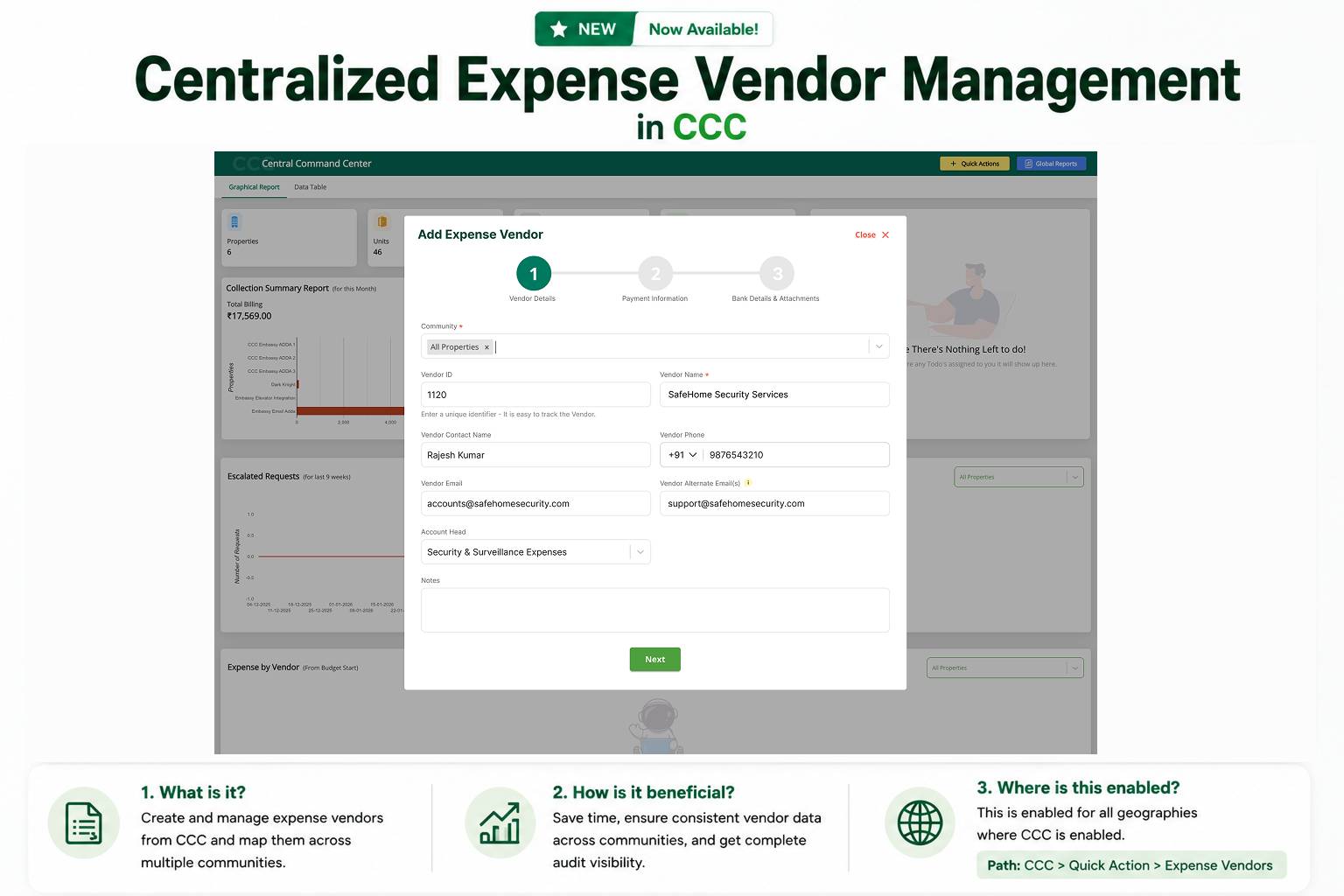
Imagine onboarding the same security agency vendor across 10 communities. The old way meant logging into each community, entering the same details repeatedly, and updating every record individually whenever something changed.


Not anymore.


With Centralized Expense Vendor Management in the Central Command Center (CCC), you can create an expense vendor once, map it to multiple communities, and manage everything from a single place. Whether it's updating contact details, changing bank information, or activating and deactivating a vendor, every change is automatically reflected across all mapped communities.


Less manual work. Consistent vendor data. Complete audit visibility.


Because managing multiple communities should feel like managing one.

Problem

Filling out or managing a Community Form hasn't felt as smooth as it should. Residents found the form clunky and impersonal, more like answering a survey than submitting a request to their own community. Number fields like mobile number didn't bring up a numeric keypad, making them slower and more error-prone to fill. Descriptions and instructions admins carefully formatted with line breaks and spacing often lost that structure by the time residents saw them, turning into a wall of text.


On the admin side, if there was one specific detail they wanted to see at a glance on the permit, they had to search through the entire submitted response to find it. Permits also always carried the complete form response along with them — even in cases like sharing a permit with a security guard at the gate, where the guard only needs to see the permit itself, not the resident's private form answers.


What's Changed:

* Cleaner resident-facing forms : Question numbers are hidden, the "Your Answer" placeholder is replaced with "Your Response," and fields now render with a proper bordered look matching the Move-In flow.

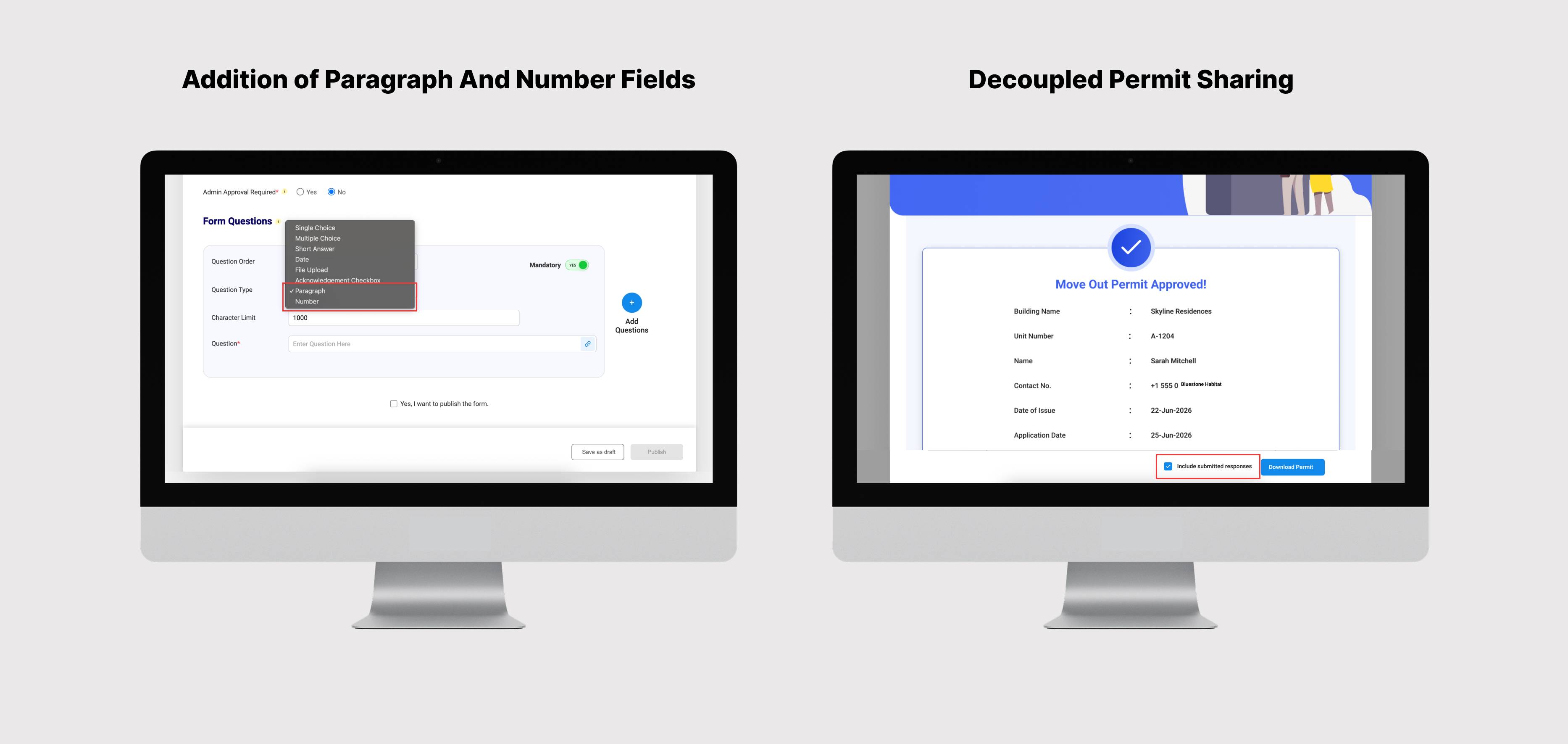
* Number field type: A dedicated Number field type now brings up the numeric keypad on the resident app and blocks non-numeric entry.

* Short Answer vs Paragraph : Admins can now choose between single-line and multi-line text fields, with configurable character limits.

* Formatting retention : Line breaks and spacing in form descriptions, questions, and instructions now render on the resident app exactly as entered.

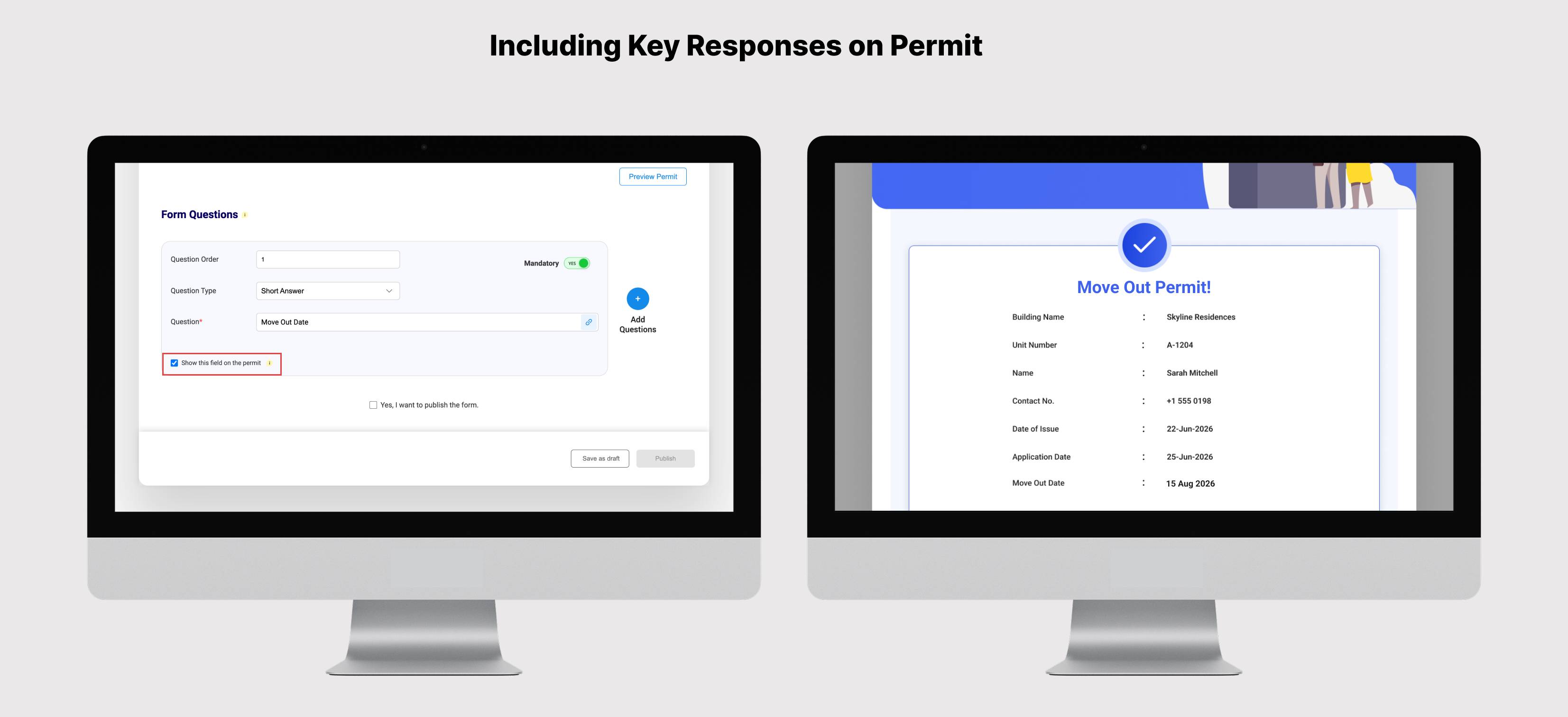
* Show on Permit : Any question response can now be marked to show directly on the permit, so key details are visible at a glance instead of digging through the full response.

* Decoupled permit sharing: Sending, resending, or downloading a permit now offers the choice to share the permit alone — useful when it's being shown to someone like a security guard who shouldn't see the resident's form responses — or with the full response attached.


Where

ERP > Community Forms > Set Up > Create Form

Resident Portal > Community Forms

ADDA App > Home Screen > Community Forms


Key Benefits

* A cleaner, more professional form experience for residents, with fewer entry errors.

* Key information visible at a glance on the permit, without opening the full response.

* Full control over what's shared and with whom — permits can now be shown without exposing the resident's private responses.

Problem

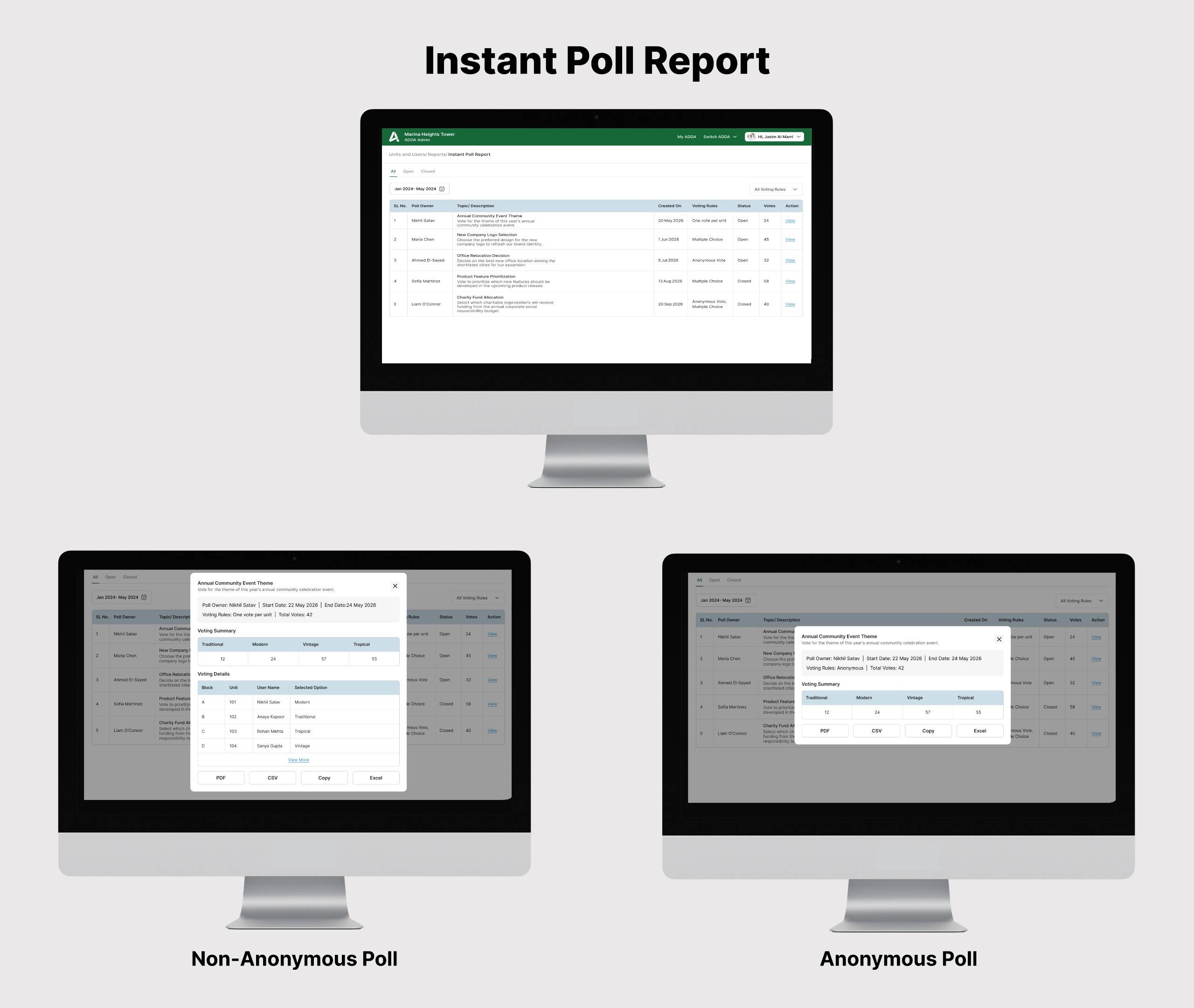
The existing Instant Poll Report showed only the total votes per option. Admins couldn't see how the poll was configured, who voted in non-anonymous polls, or any results while a poll was still live — they had to wait until the poll closed and check the poll settings on the ADDA App to make sense of the result.


What's Changed

1. Live polls now appear in the report with their current running vote counts

2. Each poll shows its voting rule (One Vote per Unit / Allow Multiple Choice / Anonymous Vote) and status (Live or Closed)

3. A Result summary (total votes per option) is shown for every poll

4. For non-anonymous polls, a new detail table shows each voter's unit number, name, and selected option (comma-separated where multiple choice is allowed)

5. Anonymous polls continue to hide voter identity — both on screen and in downloads

6. New filters at the top: Poll Status (Live / Closed) and Voting Rule


Where

ERP → Units & Users → Reports → Instant Poll Report


Key Benefits

1. Monitor live polls in progress — Admins can see participation while a poll is still open instead of waiting for it to close

2. Self-contained report — Voting rule, status, voter identity (for non-anonymous polls), and Result are all visible directly from the report — no need to check poll settings separately

3. Anonymous polls stay anonymous — Voter identity is never shown on screen or in any download


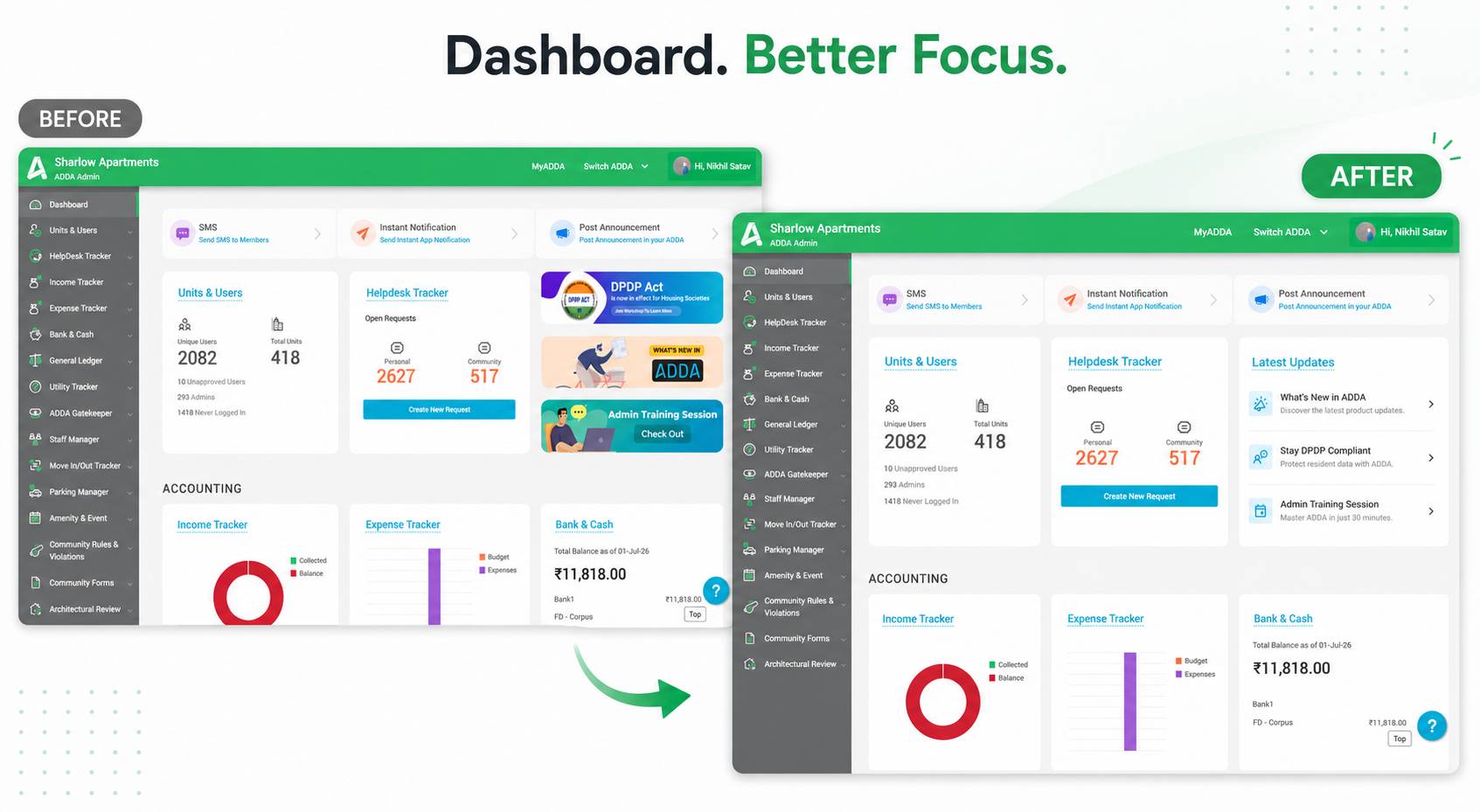
The dashboard now features a dedicated Latest Updates panel in place of promotional banners.


Quickly discover product enhancements, DPDP updates, and upcoming training sessions all from a single, easy-to-access location.


Cleaner Dashboard. Better Experience.

Problem :

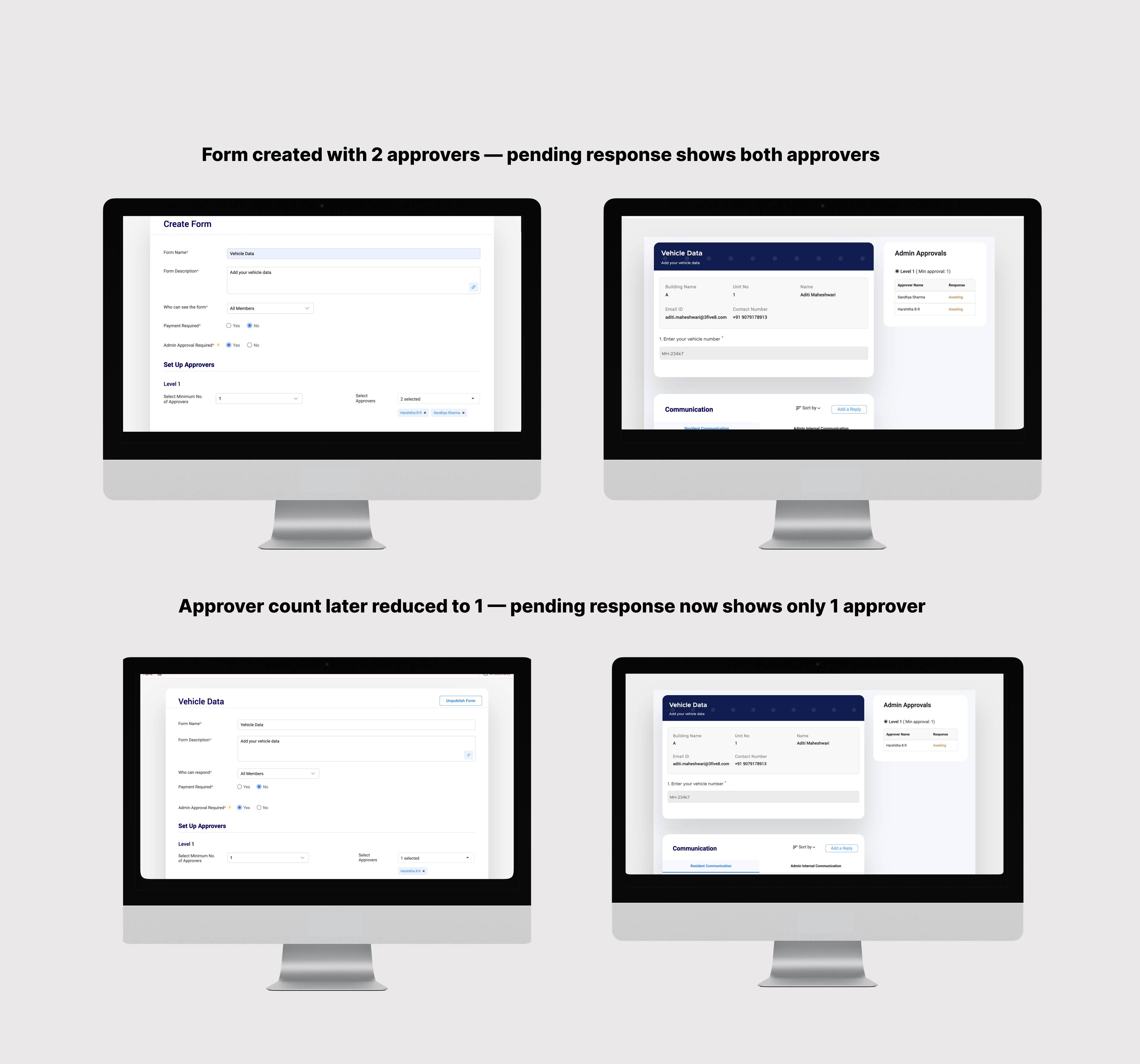
When a Form was submitted, the MC consisted of X and Y. Right after, X resigned and is no longer the approver. There is no way to reflect this in the Form that was already submitted. So the Form remains in limbo waiting for X to approve while he’s no longer the approver.


What’s Changed

When an admin updates approvers in Community Forms Setup, the change is automatically reflected in all pending responses.

Where

- ERP → Community Forms → Setup →Set Up Community Form → Edit Form

- ERP → Community Forms → Responses → Unapproved


Key Benefits

1. Ensures correct approver visibility

2. Removes manual follow-ups

3. Speeds up approval workflows

Pain Point:

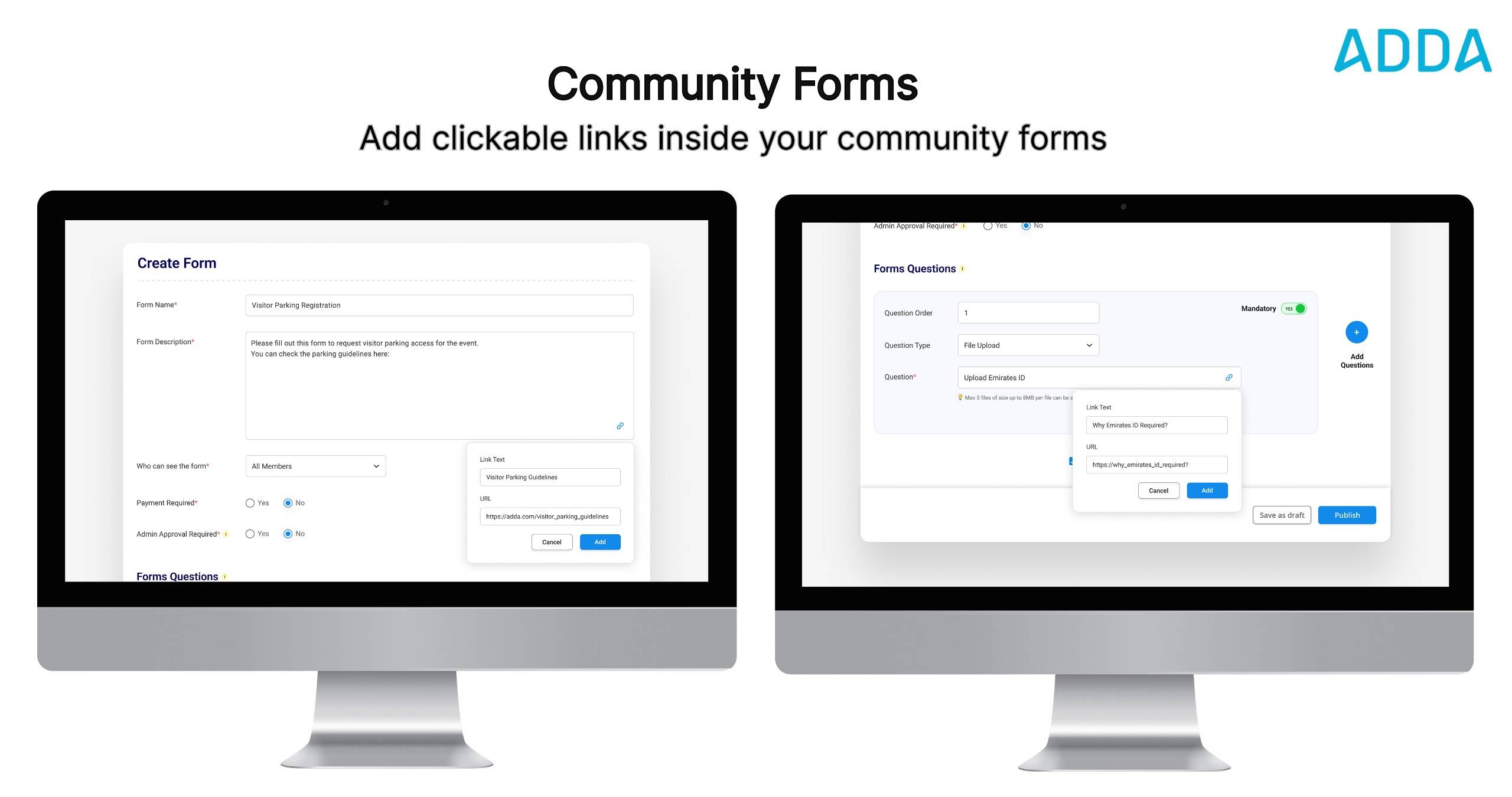
Admins often need to include supporting references — policies, documents, or guidelines — within community forms. When added as plain URLs, links appeared as unclickable text, forcing residents to manually copy and paste them into a browser. This disrupted the form-filling experience, added unnecessary friction, and led to residents skipping important references and submitting forms without reading the required information.


What Changed:

1. Admins can now add clickable hyperlinks in both the Description and Question Fields of Community Forms.

2. Hyperlink support in question fields specifically benefits communities on the Communication Package, enabling admins to reference their own website, policies, or guidelines — especially within question types like Acknowledgment.

3. Clickable links are reflected across ERP, Resident Portal, and Resident App.


Benefits:

1. Residents can tap links directly within the form — no copying or switching apps required.

2. Higher likelihood of residents reading policies or guidelines before submitting.

3. Admins with communication package can reference their own external resources from within form questions.

4. Cleaner, less cluttered form layout with descriptive hyperlink text instead of long URLs.

Pain Points

Previously, access to Community Rules & Violations and Community Forms was available only at a module level.


This meant office staff with access to these modules could also access sensitive setup actions such as:

  • Creating or modifying community rules
  • Managing violations setup
  • Configuring community forms

Lack of sub-module level access control increased the risk of unauthorized configuration changes and reduced accountability.


What's Changed

We’ve now introduced granular sub-module level access control for both Community Rules & Violations and Community Forms.


Where: 

Units & Users → Access Control → Office Staff

Configure ADDA → Users → Access Control → Office Staff


Benefits: 

  • Only MC/Admin users can access and manage critical configurations
  • Office staff can be restricted to operational activities only
  • Reduces the risk of accidental or unauthorized setup changes
  • Improves accountability and ownership of configuration updates
  • Enables more secure and controlled access management across communities

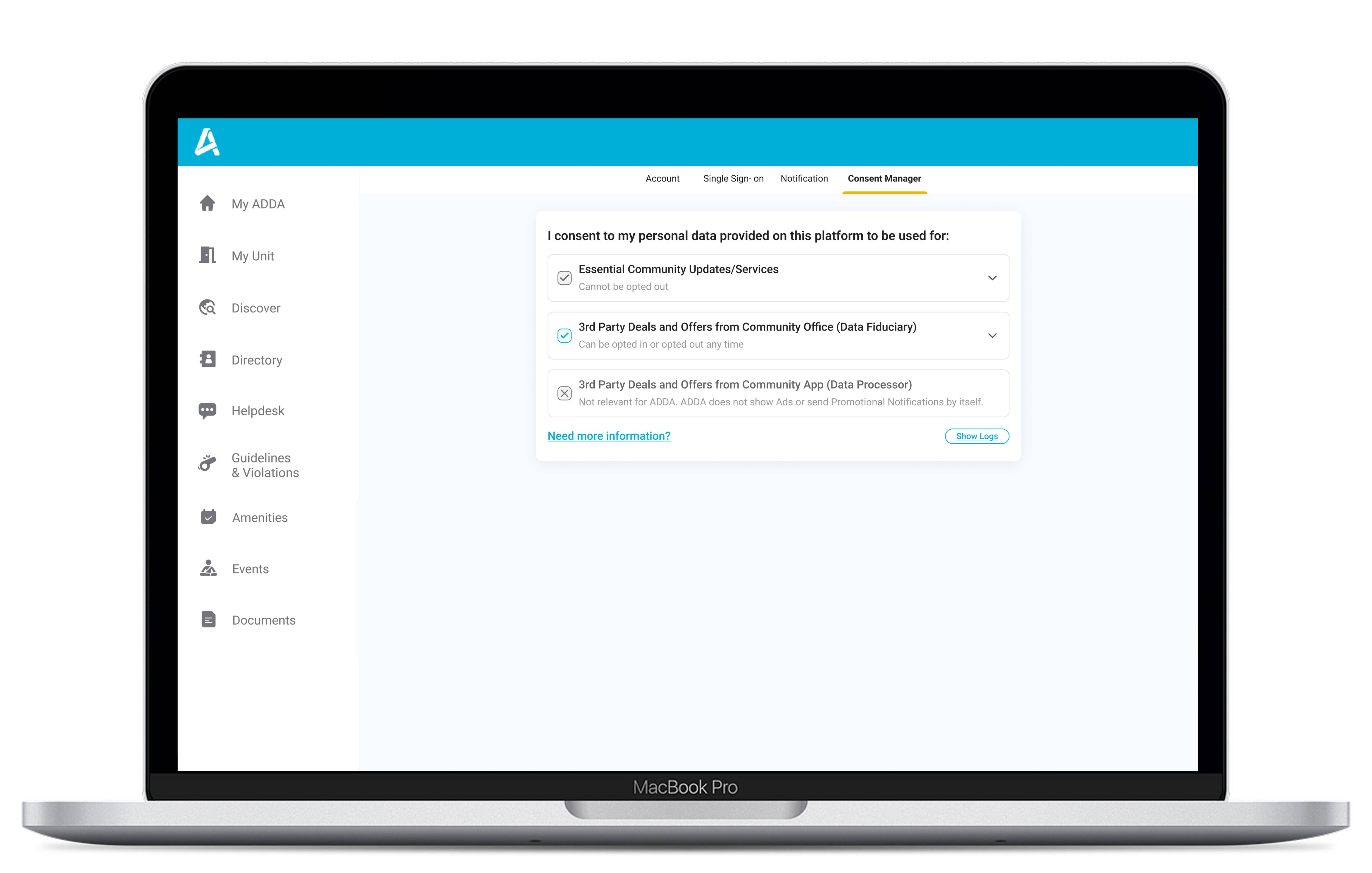
Managing your communication preferences is now even easier. The Consent Manager is now available on the Resident Portal, giving you the same control and transparency you have on the ADDA App.


Where to find it:

Resident Portal → Profile → Edit Preference → Consent Manager

What’s New

You can now view and manage your consent preferences directly from the web portal:

  • Essential Community Updates / Services: Mandatory for smooth community operations (cannot be turned off)
  • 3rd Party Deals & Offers from Community Office: Optional — you can enable or disable anytime
  • 3rd Party Deals & Offers from Community App: Shown for transparency (no promotional communication from ADDA)


Why This Matters

  • Stay compliant with DPDP guidelines
  • Get full visibility into how your data is used
  • Control what communication you receive


Important to Know

If you choose to opt out of promotional communication:

  • You will not receive promotional emails, announcements, or app notifications
  • Promotional banners will not be shown


Essential community communication will continue without any impact.

Pain Point

Once a community form (for example, Party Permit or Move-Out Permit) is approved, access to the permit is largely dependent on email communication. In real-world scenarios, emails may be missed, buried, or bounced due to incorrect email IDs, spam filters, or inactive inboxes.
As a result, users are unable to easily access the approved permit when required. This leads to confusion, last-minute scrambling, repeated follow-ups with the admin, and unnecessary dependency on admins to share permits.

What’s Changed

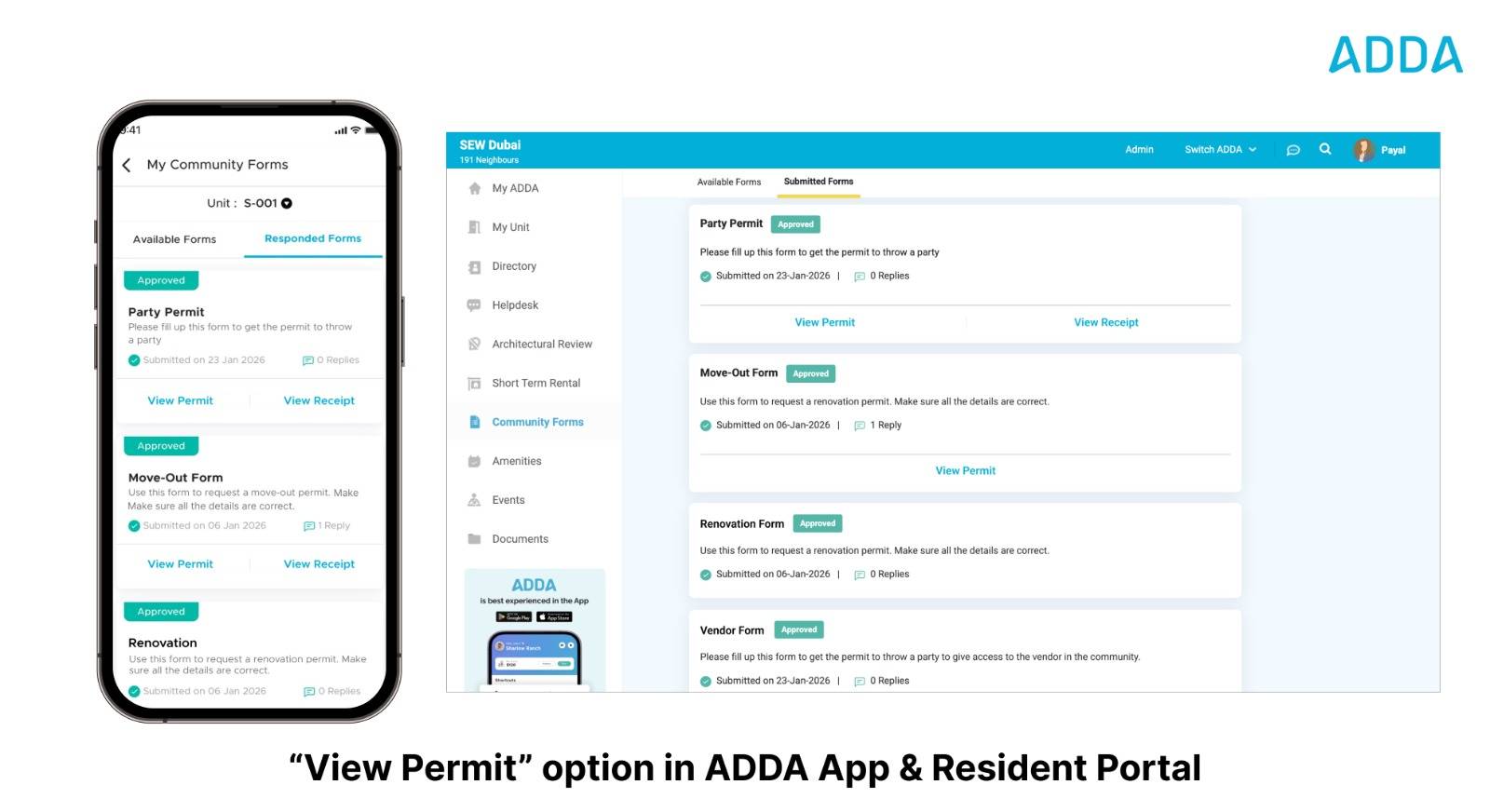
  1. Once a form is approved, users can now view the generated permit directly from the product, instead of relying only on email.
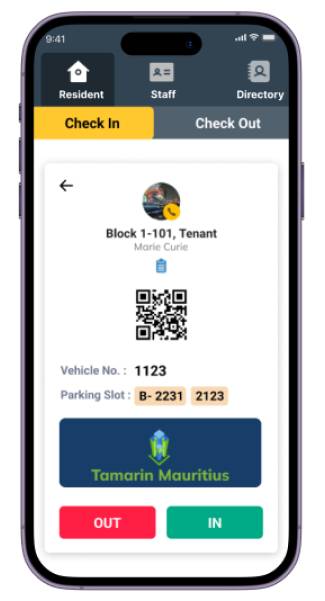
  2. The “View Permit” option appears only if the admin has enabled permit generation for that form.

Where

➡️ Resident App → Community Forms → Responded Forms → Approved Form → View Permit

➡️ Resident Portal → Community Forms → Responded Forms → Approved Form → View Permit


Key Benefits

  1. Reduced Dependency on Email – Permits are always accessible in-app.
  2. Lower Admin Load – Fewer requests to resend approved permits.
  3. Better On-Ground Experience – Residents can instantly show permits to security or staff when required.
  4. Consistent Experience Across Devices – Seamless access on both mobile and desktop.


Pain Point

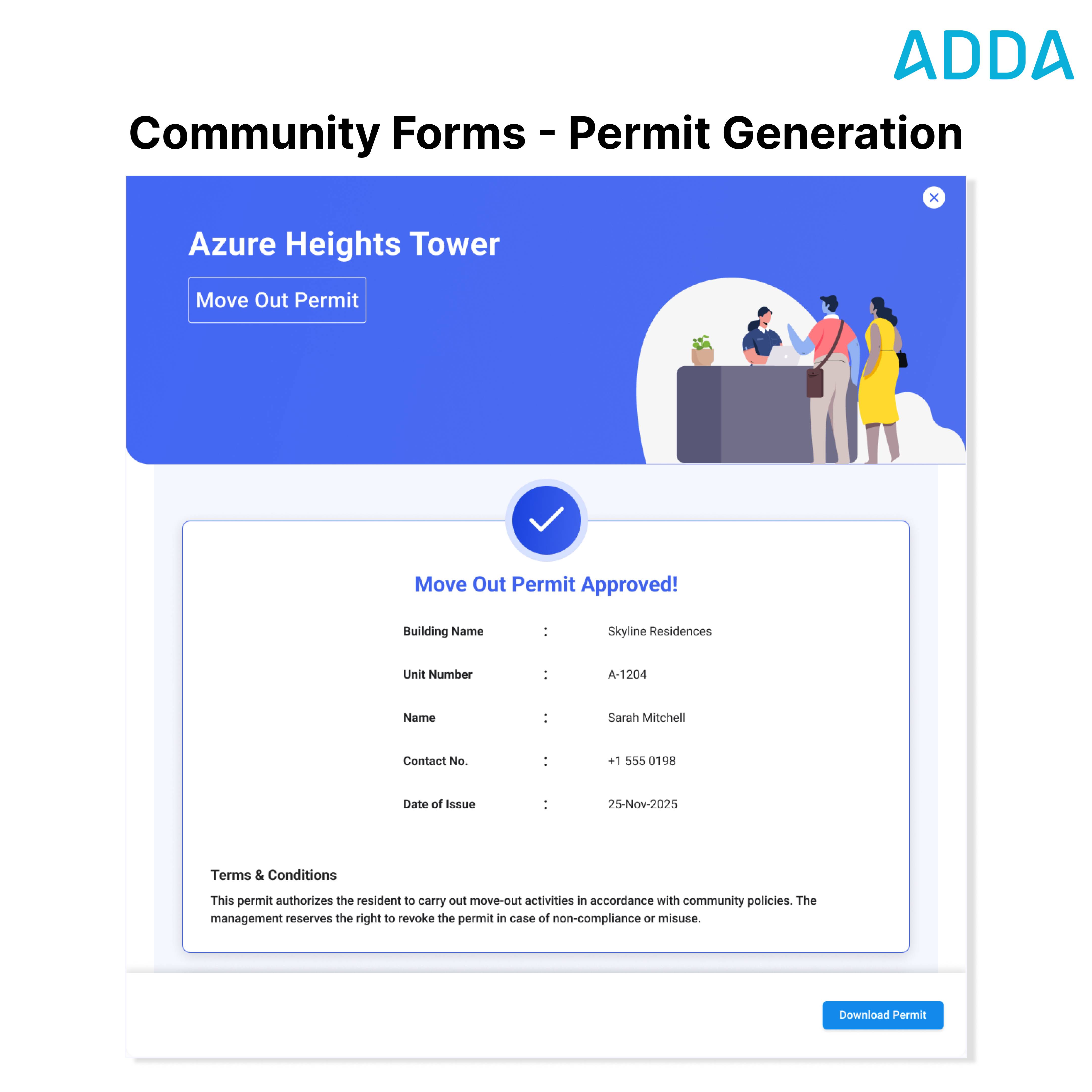
Permits are formal approvals issued by community admins for activities that require time-bound or repeated access, such as move-outs, renovations, contractor access, or vendor entry. Although approvals were already part of Community Forms, issuing the permit itself was a manual task — admins had to create permit documents separately, copy resident and unit details, and email permits after approval.

In larger communities, this resulted in significant time spent , repetitive work , higher chances of errors , and frequent resends —turning a simple task into an operational burden .


What’s New

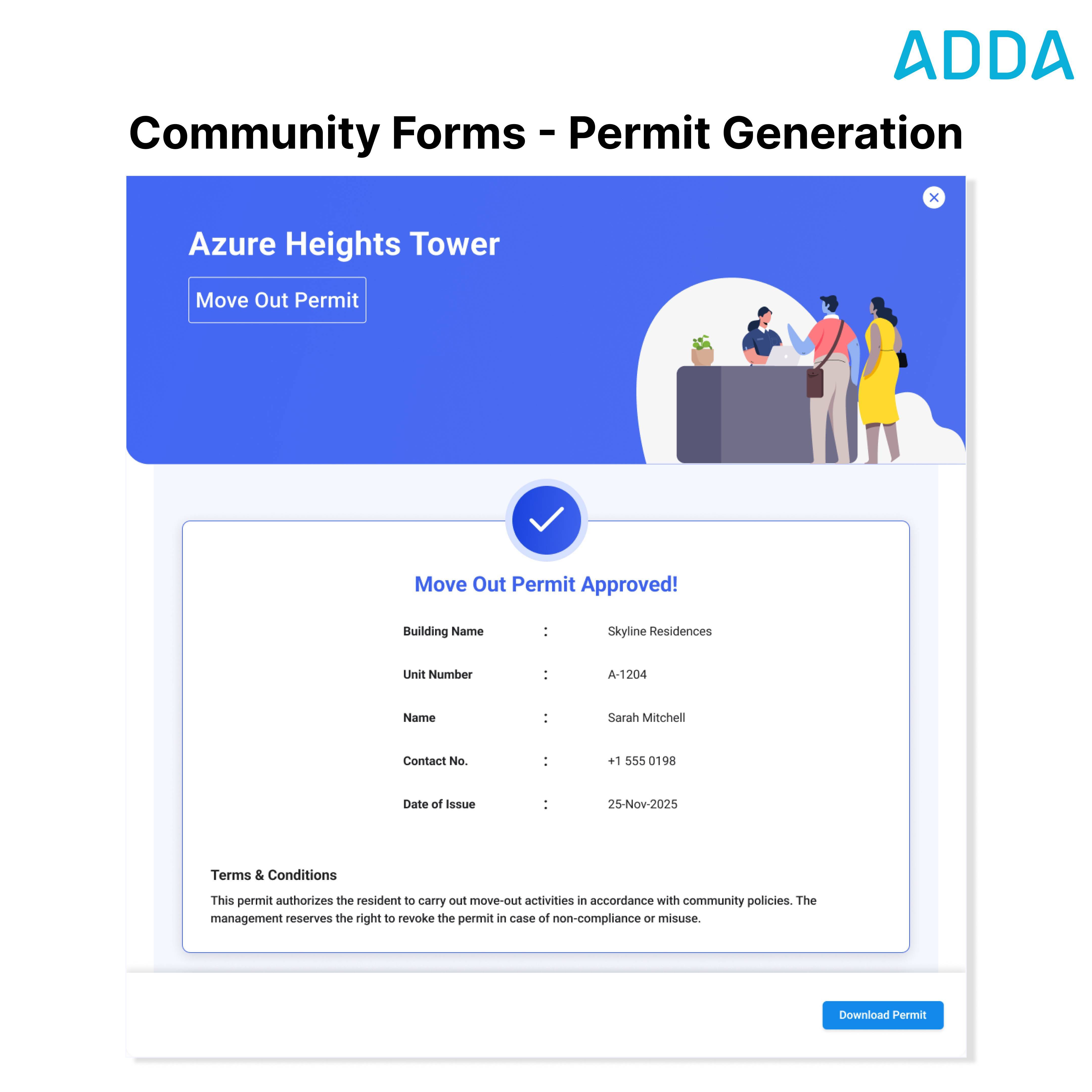
✅ System-Generated Permits - Permits are automatically generated and emailed once a Community Form request is approved.

✅ Auto-Populated Details - Resident name, unit, building, and contact details are captured automatically and reflected accurately in the permit.

✅ Preview & Re-Send - Admins can preview permits during approval and re-send issued permits anytime with a single click.


Where to Find

➡️ ERP → Community Forms → Setup / Responses

➡️ ADDA App / Resident Portal → Community Forms


Key Benefits

1. Significant time savings in day-to-day permit issuance

2. Reduced manual effort for admins

3. Consistent and error-free permits

4. Scales easily for large communities handling multiple permits daily


✨ A high-impact release that removes manual steps from permit issuance and simplifies everyday community operations.

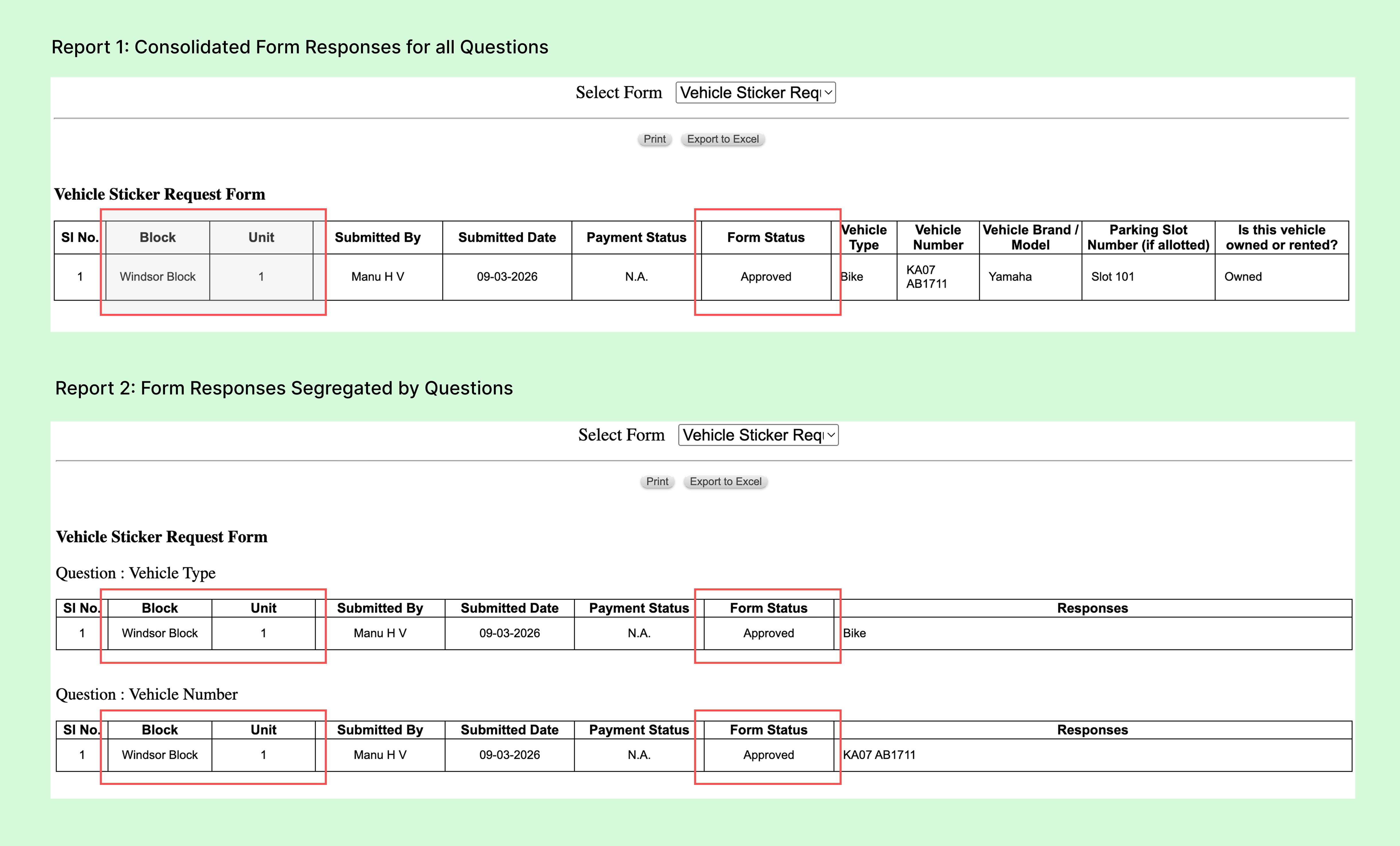
We have enhanced the Community Forms reports to make them more structured and easier to analyze in Excel.


What’s improved?

Separate Block and Unit columns

  • Block and Unit are now shown in individual columns, making it easier to sort and filter responses in Excel.


New “Form Status” column

  • A new column indicating Approved / Unapproved has been added after the Payment Status column.
  • This will appear only for forms where approval is required.


These changes make it simpler for admins to filter submissions, track approvals, and analyze form responses directly in Excel.

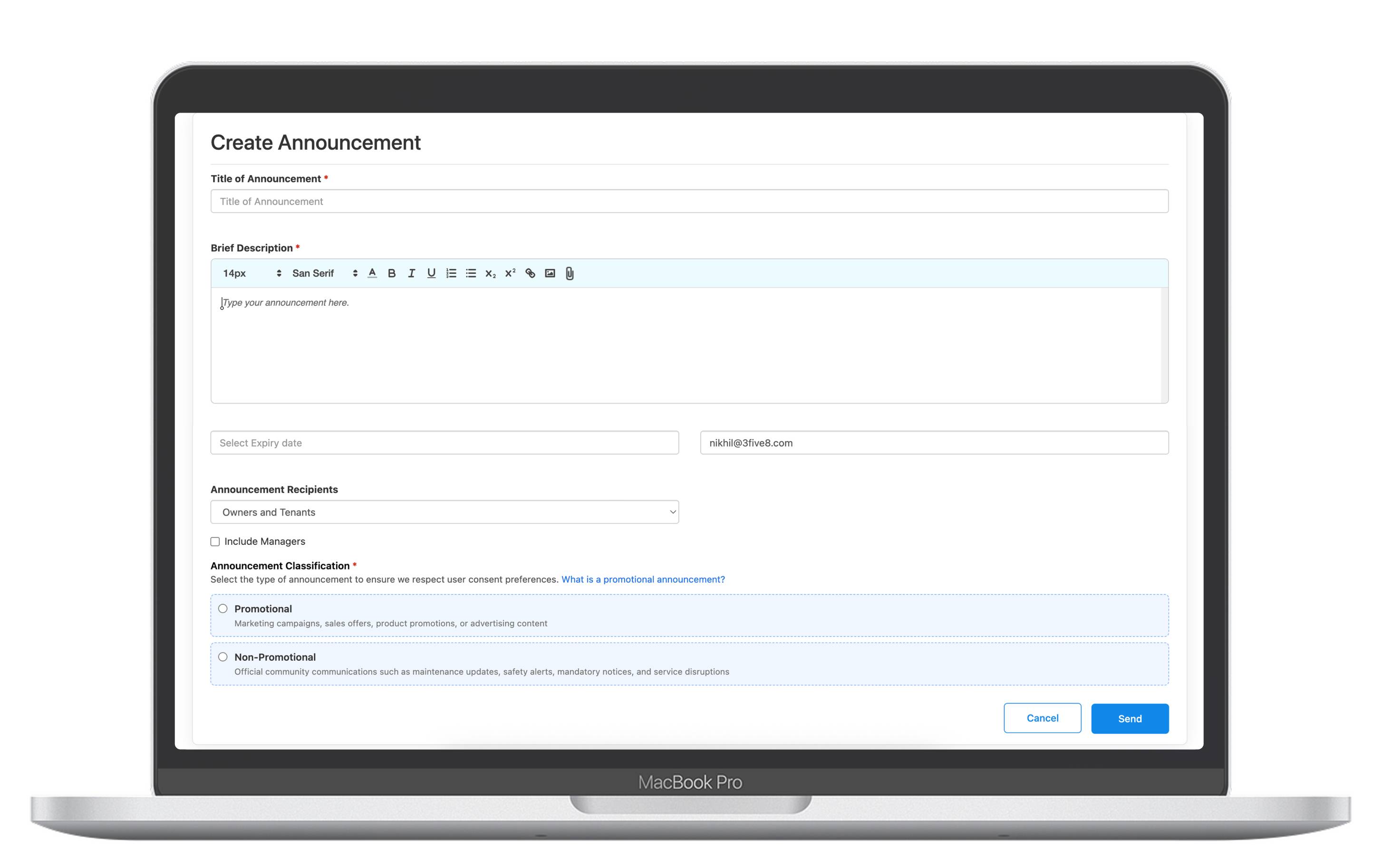
We have introduced a clearer way to classify communication in line with Consent Management.


What’s New?

Announcements

• Added a new selection: Promotional or Non-Promotional

• Removed the earlier announcement categories: General; Administration & Buy/Sell

• All announcements must now be classified as Promotional or Non-Promotional


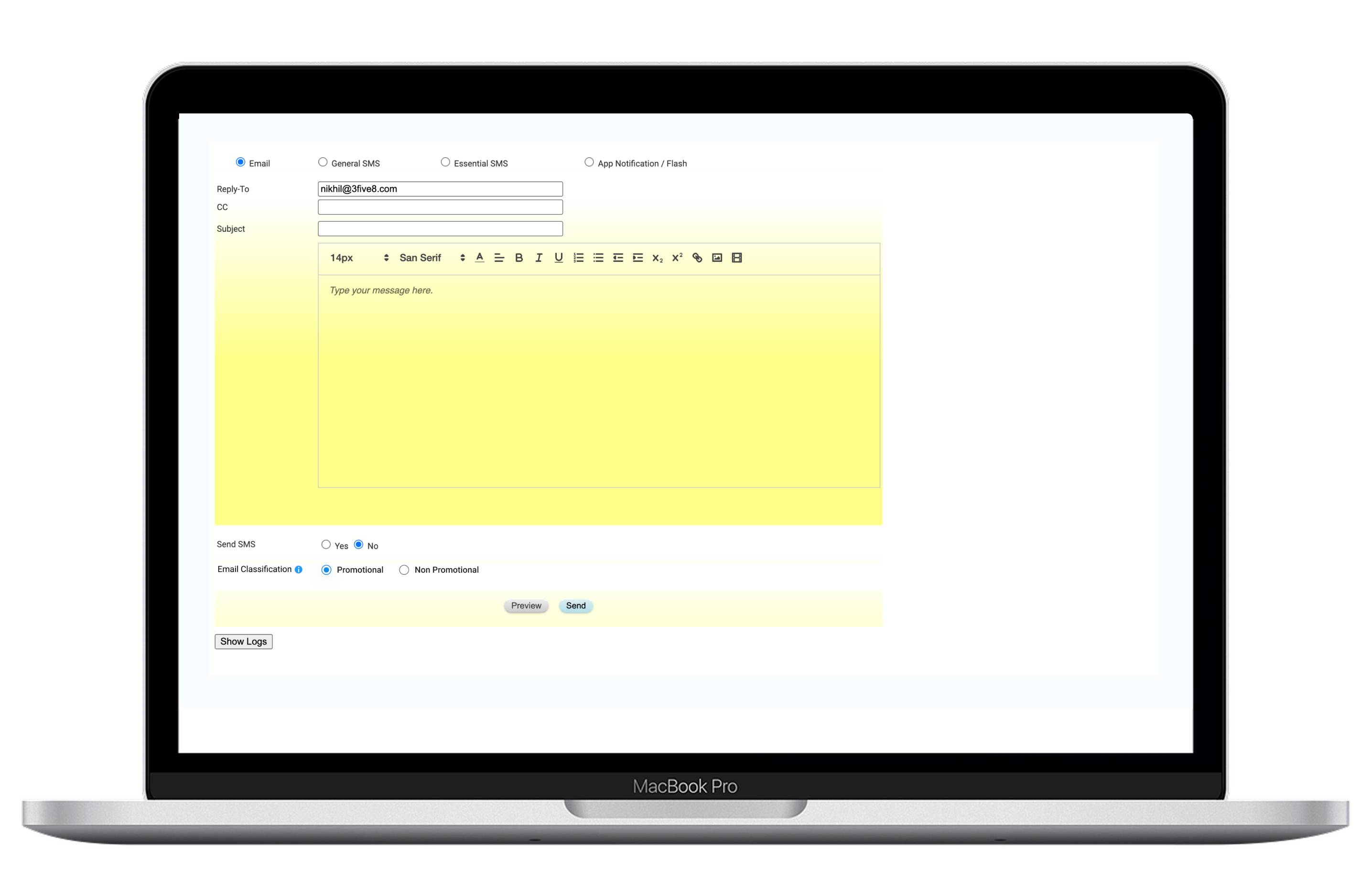
Email Broadcast

• Email broadcasts can now be categorised as Promotional or Non-Promotional


This ensures communication is sent only to residents who have provided the appropriate consent.

Pain Point

Permits are formal approvals issued by community admins for activities that require time-bound or repeated access, such as move-outs, renovations, contractor access, or vendor entry. Although approvals were already part of Community Forms, issuing the permit itself was a manual task — admins had to create permit documents separately, copy resident and unit details, and email permits after approval.

In larger communities, this resulted in significant time spent , repetitive work , higher chances of errors , and frequent resends —turning a simple task into an operational burden .


What’s New

✅ System-Generated Permits - Permits are automatically generated and emailed once a Community Form request is approved.

✅ Auto-Populated Details - Resident name, unit, building, and contact details are captured automatically and reflected accurately in the permit.

✅ Preview & Re-Send - Admins can preview permits during approval and re-send issued permits anytime with a single click.


Where to Find

➡️ ERP → Community Forms → Setup / Responses

➡️ ADDA App / Resident Portal → Community Forms


Key Benefits

1. Significant time savings in day-to-day permit issuance

2. Reduced manual effort for admins

3. Consistent and error-free permits

4. Scales easily for large communities handling multiple permits daily


✨ A high-impact release that removes manual steps from permit issuance and simplifies everyday community operations.

Pain Point

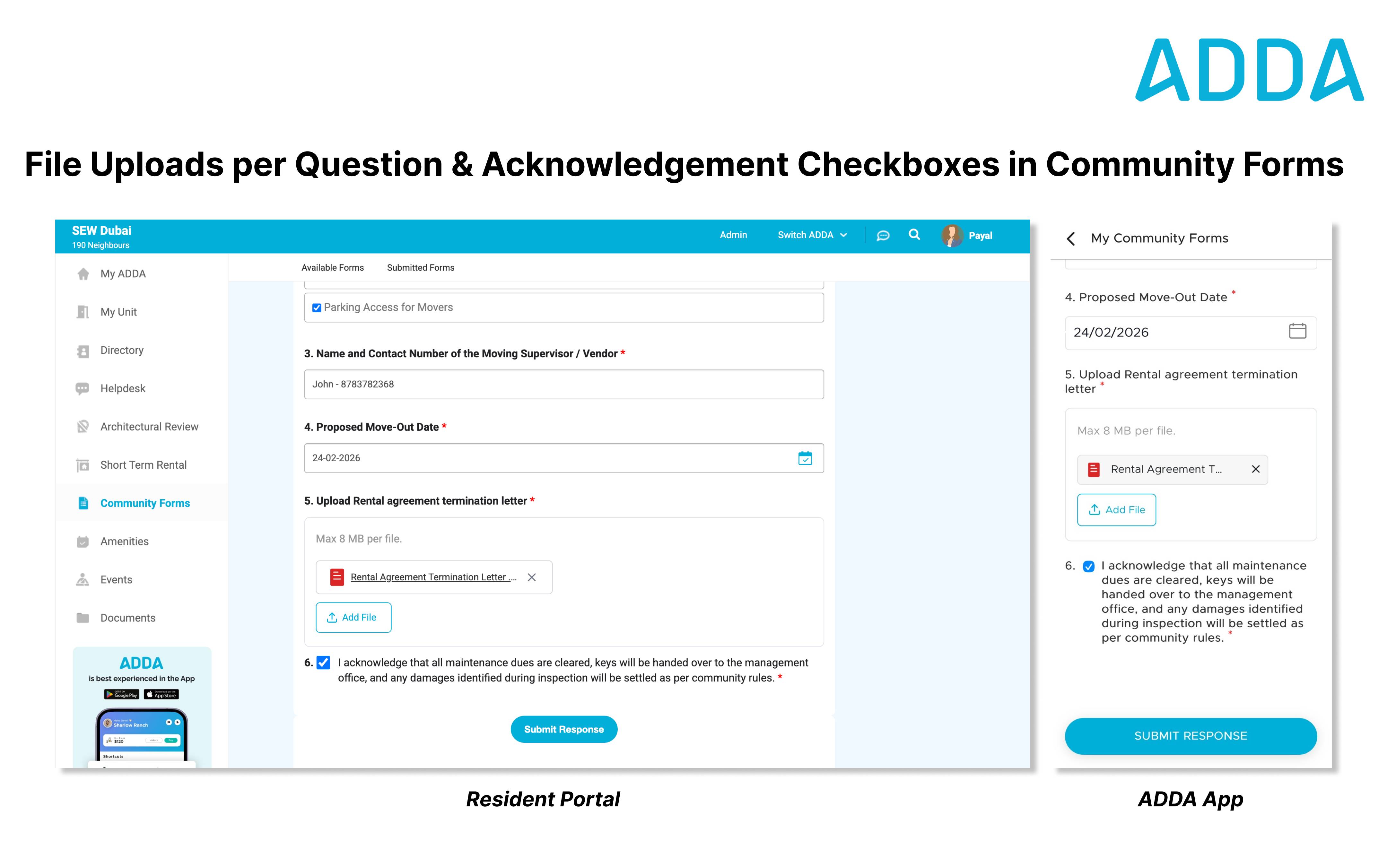
Residents often missed uploading the correct documents because there was only one upload section in the form, leading to repeated follow-ups before approval. Also, admins approved requests without residents clearly confirming things like dues cleared, keys handed over, or damages checked, which caused issues later .


What’s New

✅ File Upload as a Question - Admins can now add file upload to individual questions , so the right documents are collected at the right step. Each upload can be made mandatory or optional.

✅ Acknowledgement Checkboxes - Admins can add acknowledgement checkboxes so residents must confirm important points (like dues cleared or keys handed over) before submitting the form.


Where to Find

➡️ ERP → Community Forms → Setup

➡️ ADDA App / Resident Portal → Community Forms


Key Benefits

1. Fewer follow-ups before approval

2. Clear document collection

3. Clear resident acknowledgements upfront

4. Fewer issues after approval


✨Community Forms are now simpler, clearer, and easier for admins to manage.

Pain Point

In high-rise communities with high-profile residents, elevator access is strictly controlled to protect privacy and security. Each tower has its own lift bank, accessible only through authorised access keys.


Residents have personal access keys for their towers, but guests do not.

So even when a guest is pre-approved in advance, elevator access still depends on a security guard manually enabling the lift using their own key.


During busy hours or when multiple guests arrive, this leads to:

1. Guests waiting in lift lobbies

2. Repeated guard intervention for every guest movement

3. Congestion and delays despite prior visitor approval


The approval existed, but the experience wasn’t end-to-end.


Solution

With Private Elevator Access Control, elevator systems are now integrated with the Embassy Resi App for Expected Visitor guests.


When a resident adds an Expected Visitor, the guest receives a secure QR code.

That same QR code enables authorised elevator access for the approved tower, removing the need for manual lift activation.


Visitor approval and elevator access now work as one connected flow.


Benefits

1. Seamless Lift Access for Expected Guests: Guests move smoothly without waiting for manual intervention.

2. Reduced Guard Dependency: Guards are freed from repetitive lift enablement tasks.

3. Faster Visitor Flow During Peak Hours: Less congestion in lift lobbies and entry points.

4. Controlled & Secure Access: Elevator access remains limited to authorised towers only.


Released for: Indiabulls Blu Estate & Club, Mumbai

Problem:

The term “Restrictions” often feels negative and limiting, which can make residents and users feel constrained when viewing or following community guidelines. This impacted how policies were perceived, even when they were meant to provide clarity and structure.


What's New

We’ve updated the terminology across ADDA to replace “Restrictions” with “Rules”, creating a more positive, clear, and user-friendly experience while still clearly communicating community expectations. The term “Rules” feels more approachable and helps foster better understanding and cooperation among residents, admins, and managers.


Benefits

  • Positive User Perception: “Rules” feels less restrictive and more collaborative.
  • Clear Communication: Community guidelines are easier to understand and accept.
  • Consistent Language: Uniform terminology across App, ERP, and FAQs reduces confusion.

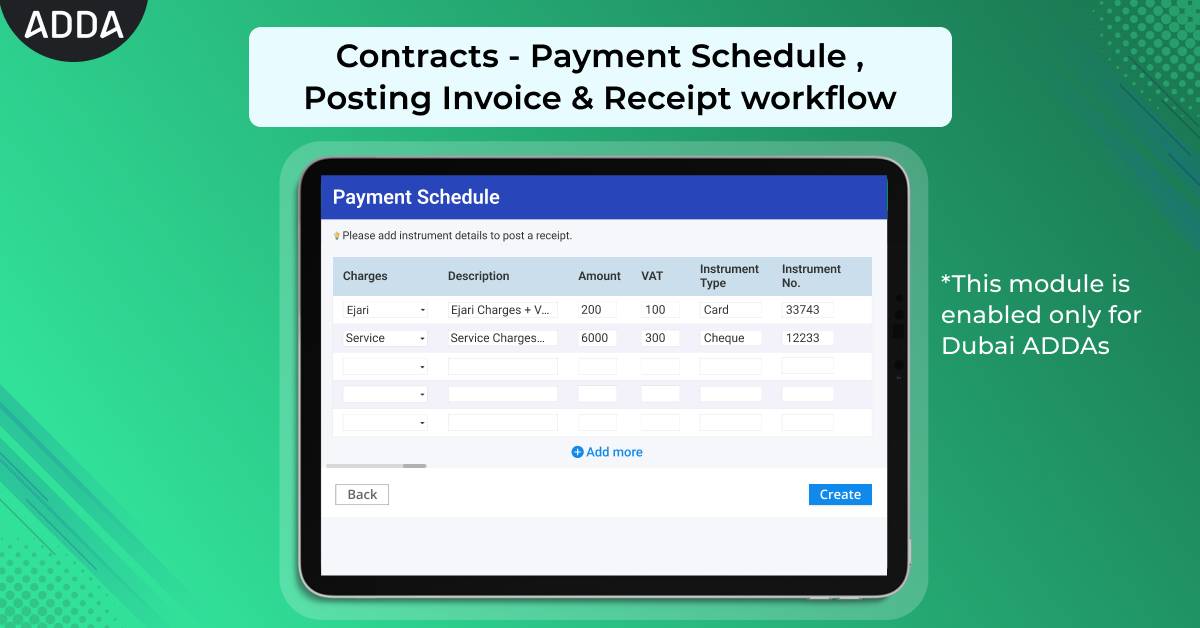
Consider a situation where an Admin is creating a contract for a particular unit in his community, and he misses out to schedule a payment date for the contract created . This leads him to track the payment manually and residents can also miss out on the payment date of the contract. 


Wouldn’t it be easy if an Admin had an option to schedule a payment along with the contract ??


Here is the solution , with ADDA’s updated Contract module , 


  • You can set up a payment schedule while creating the contract, ensuring that the resident is aware of the payment deadline and it gets easy for payment tracking.
  • You can post invoices and receipts directly in the Contract module, making record-keeping seamless.

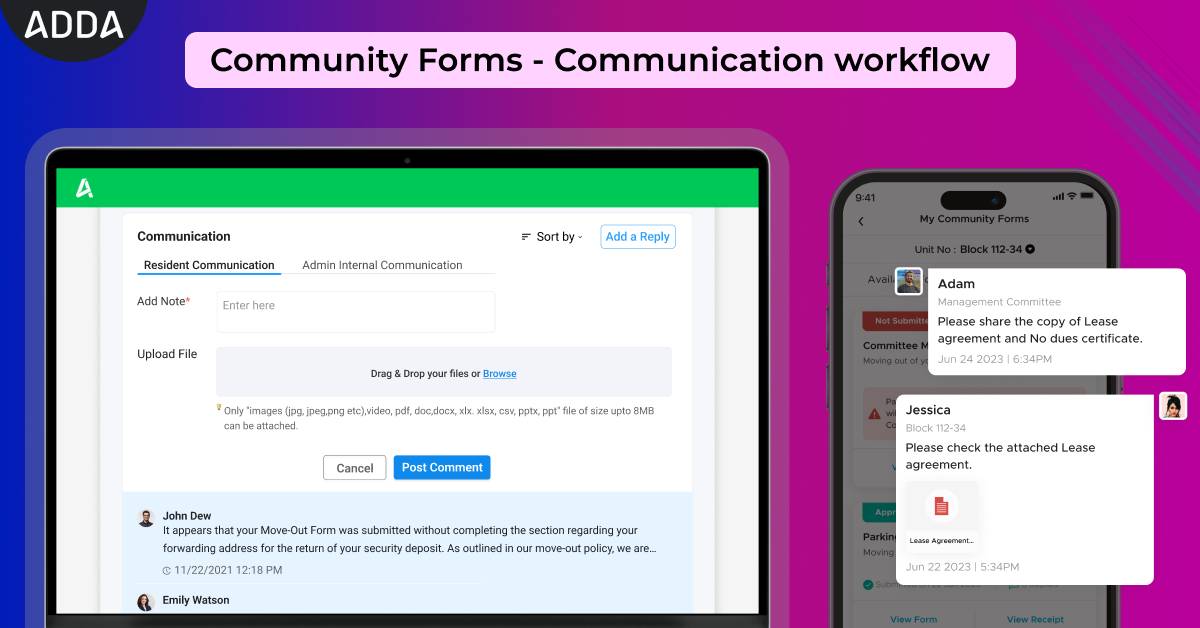
With this enhancement, we just removed the need for all offline interactions from Community Forms - making the process faster and easier. 


Consider this, you have submitted a renovation request for your apartment/villa. Your Community management staff has a query on it. They can put the query right on community form. Residents can also put their reply around the same query. 


Key Benefits:

  1. All communication around a particular Form request now remains in One Place - making it easy to access, and refer for later.
  2. Instant alerts on comments, resulting in faster resolution of requests.
  3. Easy collaboration - Community management staff can ask all questions in one place
  4. Faster Approvals - Community management can refer to all conversations in one place while providing their approvals

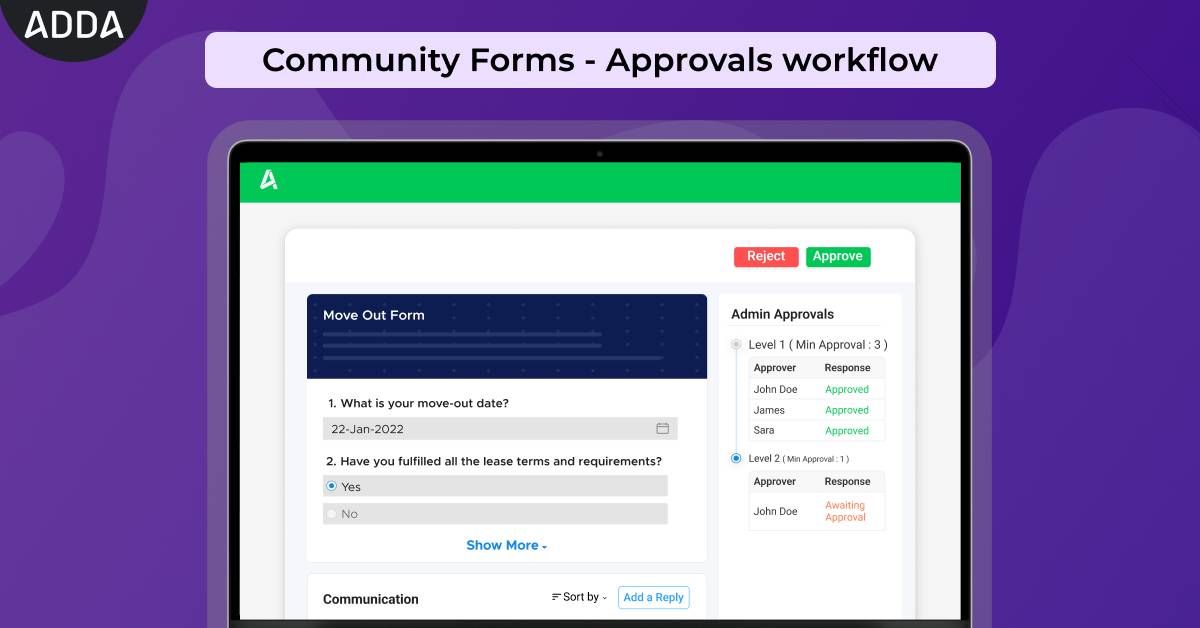
While planning a renovation in your apartment or villa, are you having to make multiple visits to your Association office to get approval for your request? With physical forms, there is often a lack of transparency regarding the status of your application.


This lack of transparency causes delays and unnecessary follow-ups for the residents. Meanwhile, MCs struggle with tracking approvals, handling repeated queries.

No more! 


ADDA community forms now has the option to gather approvals, after a request has been submitted. For management committee members, and community staff, this gives the opportunity to create configurable workflows around various community processes - Move Outs, Renovation Requests, etc. where explicit approvals are required. 


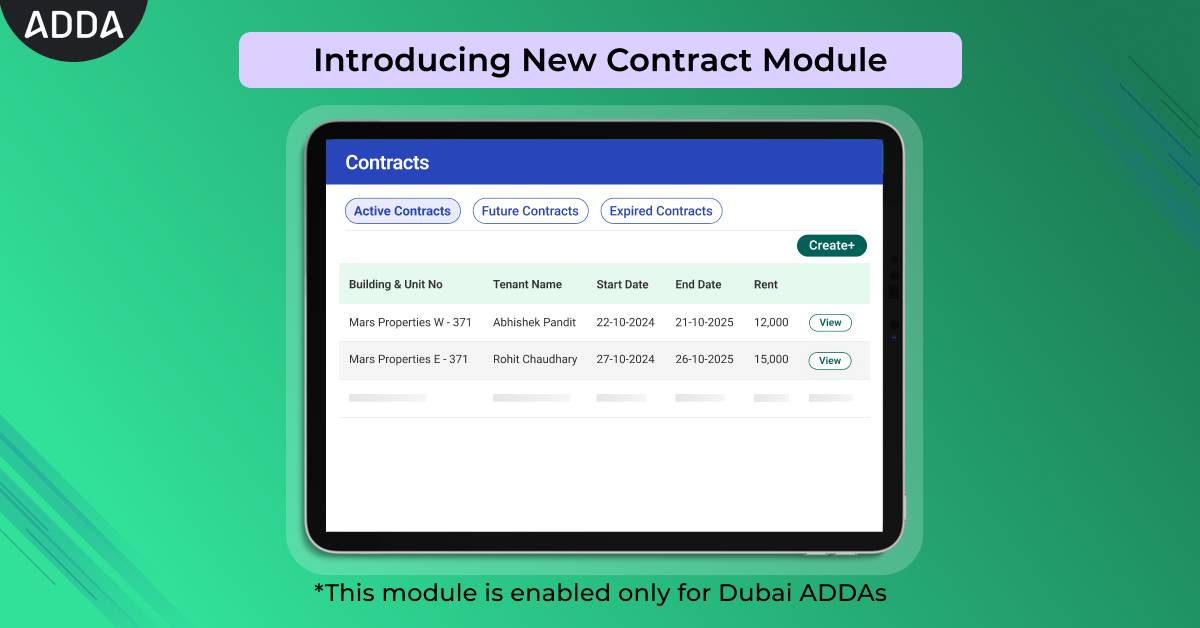
Facing issues to manage the contracts? This update addresses previous access issues by publishing Contracts as a separate new module ensuring smoother management and control by distinct staff teams..


What's New:

  • Streamlined Contract Management: Contracts are now organised into Active, Upcoming, and Expired categories for easier navigation.
  • Enhanced User Experience: Enjoy a revamped user interface, designed for a more intuitive and efficient contract management process.

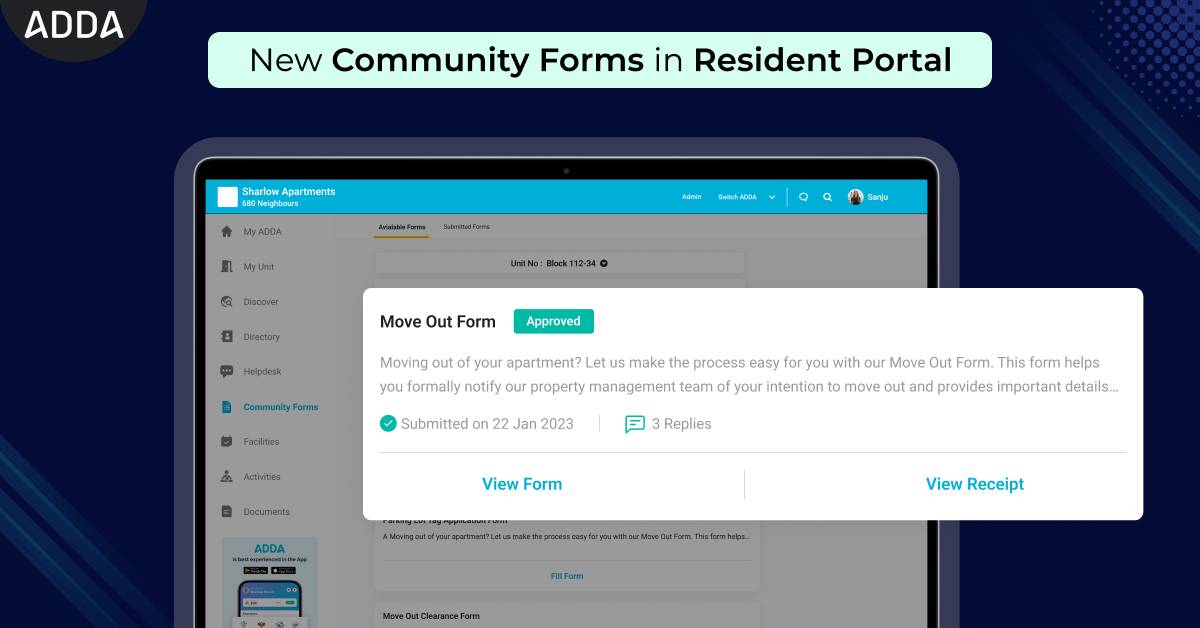
Are you having to visit your Association office to get the forms for things like parking stickers and clubhouse access cards? Introducing Community Forms on ADDA Resident Portal! Now, all essential forms are just a few taps away, making the process faster, easier, and completely digital. 


Key Benefits

Convenient Access: Access all necessary forms from anywhere, anytime, right from your phone or computer. No more trips to the Association office!

Easy Communication & Tracking: Submit your forms online and track their status in real-time. Get updates and notifications without having to make phone calls or send emails.

Saves Time & Effort: Say goodbye to paperwork. Complete and submit forms quickly and efficiently, saving valuable time and effort.

Updated & Organized Records: All your submitted forms are stored online in one place.

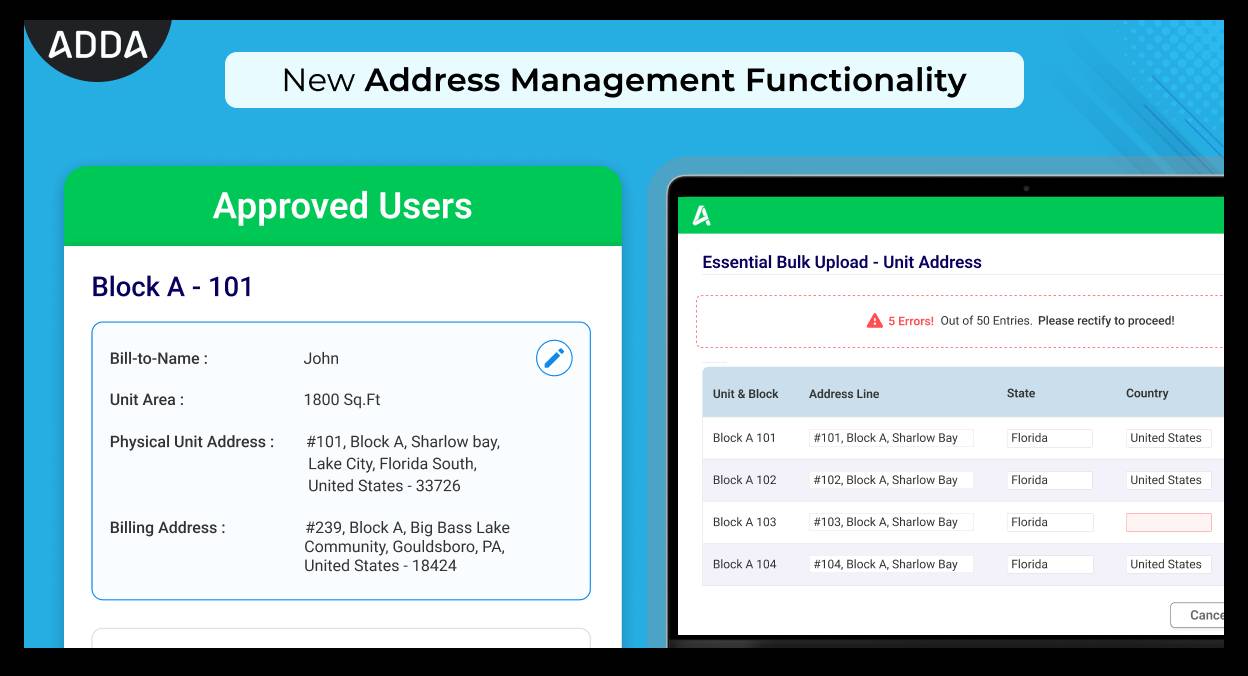
We are excited to announce our latest feature update on Address Functionality, that is designed to help the Management Committee Members streamline Address management within the ERP system.


Key Features:


  1. Physical & Billing Address
  • Update Individual Address: Admins can now easily update physical and billing addresses for individual units.
  • Bulk Upload of Addresses: Admins can efficiently update physical and billing addresses in bulk.
  • Default Replication: If no billing address is provided, the system will automatically use the physical address as the billing address.


Note: Don't forget to check out the new Optimized Bulk Upload Interface from "Income Tracker > Essential Bulk Upload".


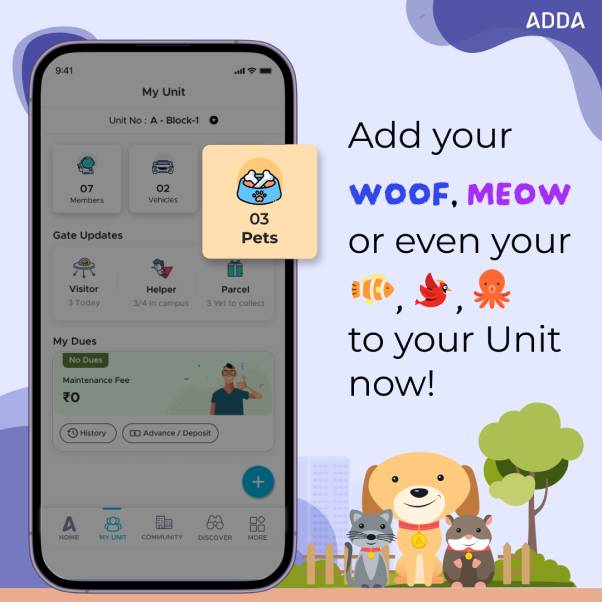
Most communities have pet owners residing in them and as a part of the Community Management Team, keeping track of the number of pets present in the community can be tough. So can be communicating the right pet guidelines to the pet owners.


With ADDA’s Pet Feature, You can now request residents to register their pets from the ADDA app, ensuring all pet-related documents, vaccination certificates, and more are submitted easily. Read more


Key Benefits

  • Clear Communication of Guidelines
  • Efficient Compliance Tracking
  • Comprehensive Pet Records


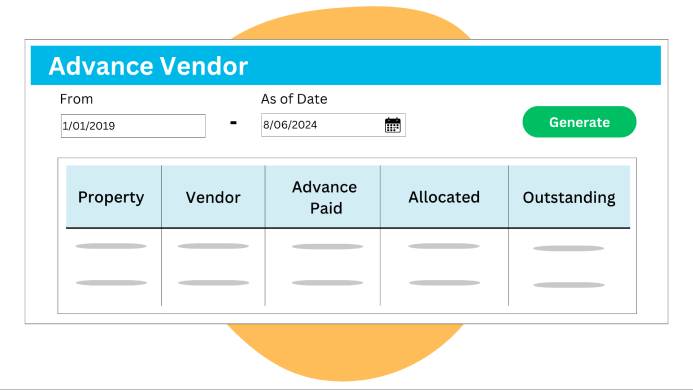
We're excited to introduce the new Vendor & Member Advance Reports in CCC!

This release provides detailed insights into global portfolio financial activities, summarizing advances paid to vendors and received from members.

With enhanced auditing processes and tools for comparing financial positions, the Management Committee Team can now make more informed resource allocation decisions and manage the finances more effectively with this powerful new feature.

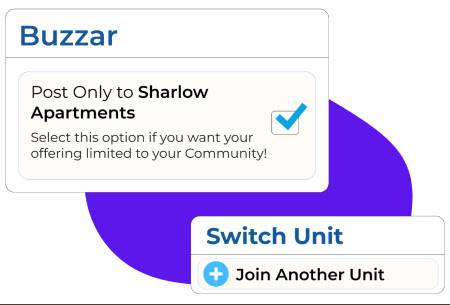
  • Buzzar - Post only to your Community

This feature can be extremely useful for any community resident who wants to limit their services/offering only to his/her community.


Surely you know Buzzar? The vibrant community marketplace in the ADDA app where verified ADDA users can list items like Books, Furniture, Apartments for Rent/Sale, and even Services like Coaching, Photography, etc.


  • Join another unit 

With this feature, residents can easily submit a request to join another Unit in a Community they are already part of (in case they have rented or bought another unit), right from their App. 


They can also submit required documents, so that the Community Management team can easily approve their request.


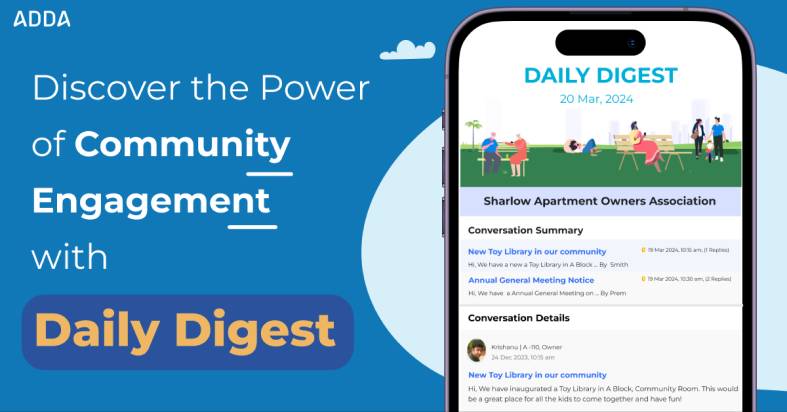
The Daily Digest is a daily email sent to community members, providing a concise summary of conversations from the previous day.


What's New ✨

With a refreshed UI for a more attractive and user-friendly experience, you can now conveniently dive into detailed Conversations & Polls from the past 24 hours, all in one email.


Don't miss out on staying informed and engaged - explore the power of community interaction with the New Daily Digest!


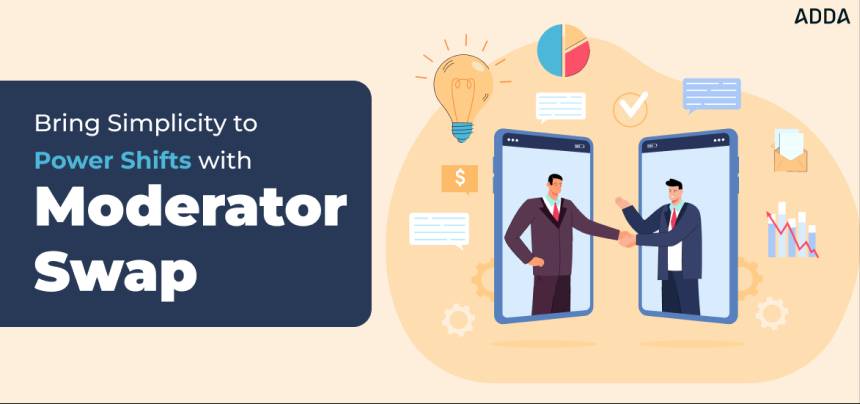
Moderators in ADDA are members from your Community who has Access similar to Super Admins. They can control the Access of others in your Community.


With our new Moderator Swap feature, existing moderators from your Community, can easily change access to a New Moderator, without any dependency on the ADDA team. Previously, this was an activity for which our users had to raise a Support Ticket and the ADDA team used to help them with this change.


Enjoy the freedom and control you deserve in managing your community.


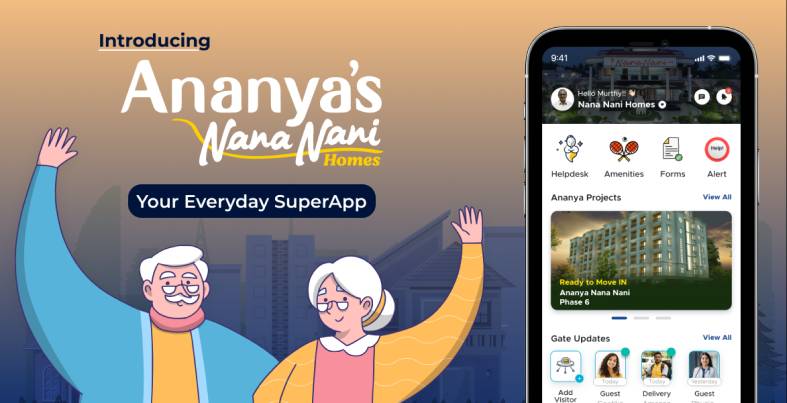
We launched a new White Labeled App for Ananya Nana Nani, a premium Builder based out of Coimbatore, Tamil Nadu. Ananya App, built with a custom user interface, was specially designed to elevate the community living experience for the residents.


This App had all features of the ADDA App:

1. Visitor Management

2. Simplified Society Payments and Utility Recharges

3. Effortless Complaint Lodging through Help Desk

4. Seamless Online Community Platform for Neighbor Engagement and many more..


Few special features built for Ananya App were

1. Option to promote their new launch properties/offers to their residents, and

2. Exclusive services like Ananya’s Cafe, Ayurvedic & Home care, Nursery, and many more.


We hope Ananya residents will have a great experience using this App.


Here are few enhancements which will definitely make your usage experience better:


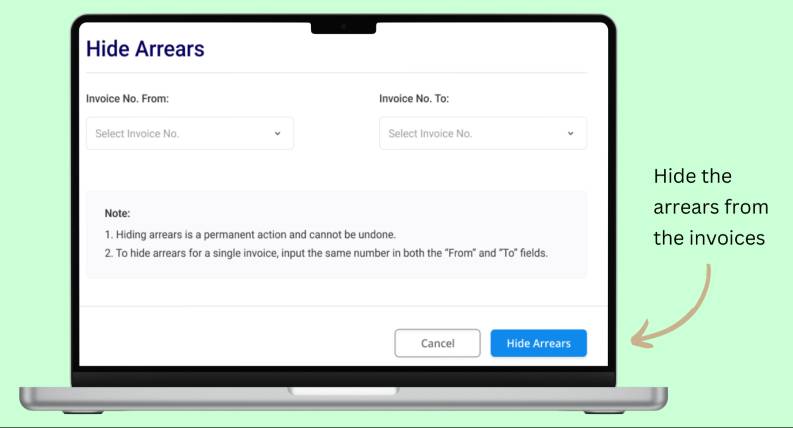
1. Option to Hide Arrears from Invoices

Sometimes arrears from past invoices showing up can cause confusion and delay in payments. In such cases, the Admins can choose to hide the Previous arrears from the invoices. Not just that, Admins can also choose to hide the arrears from future invoices as well. This option is now available only to the moderators of the ADDAs.


2. View Documents/Images Upgrade

Many a time you would have to download a document or image to view it. Now with this upgrade you can view these right from inside ADDA, without having to download them.


3. Community Form Reports

Community Forms are used to submit various community related requests like Fit-Outs (Inside Unit renovations), Clubhouse access cards, parking stickers, etc.

View all form submissions together with this report. This report would definitely make it easier to process all these requests from residents.


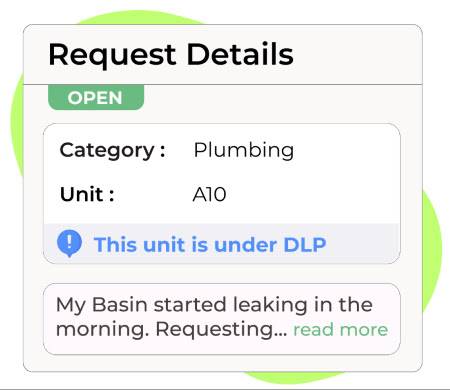
The new DLP (Defect Liability Period) module in ADDA is here to revolutionize the way you handle helpdesk requests. For builders who manage the maintenance of the property for sometime, this module can be of great help.


Check out the benefits and features:


1. Clear Categorization: Easily differentiate between DLP and non-DLP categories for streamlined issue resolution.

2. Efficient Handling: Quickly identify and resolve DLP-specific issues with specific categorization.

3. Confusion Reduction: Prevent mix-ups between DLP and non-DLP requests, ensuring accurate addressing of concerns within the Defect Liability Period.


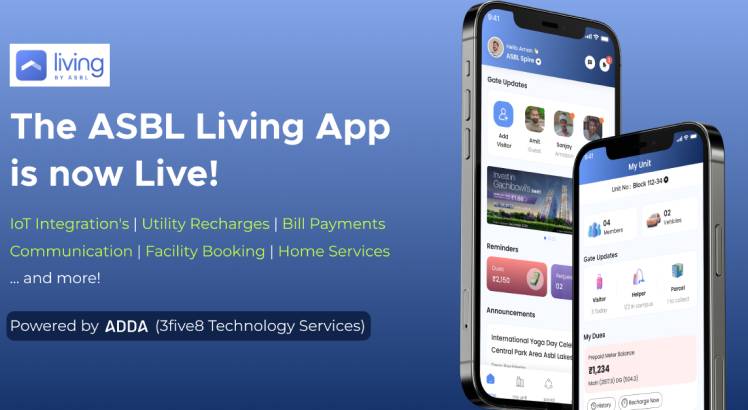
We launched a new White Labelled App for ASBL, a premium Builder based out of Hyderabad. ASBL Living App, built with a custom user interface, was specially designed to elevate ASBL's community living experience.


This App had all features of the ADDA App:


1. Visitor Management

2. Simplified Society Payments and Utility Recharges

3. Effortless Complaint Lodging through Help Desk

4. Booking Trusted Home Services

5. Seamless Online Community Platform for Neighbor Engagement and many more..


Few special features built for ASBL App were

1. Option to promote their new launch properties/offers to their residents, and

2. Referral program for their residents


We hope ASBL residents have a great experience using this App.


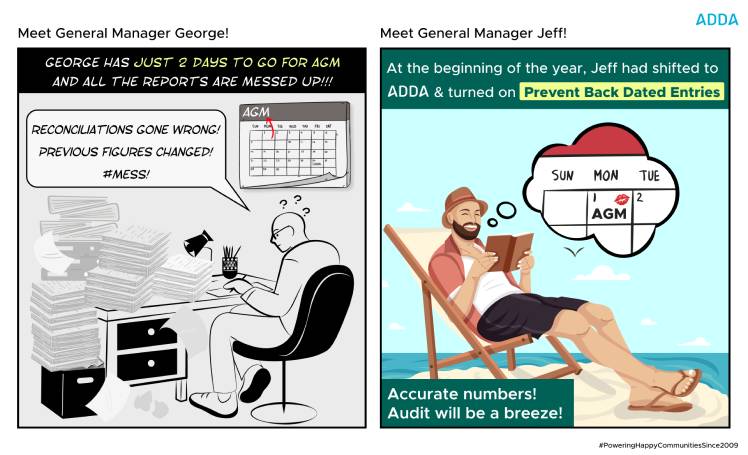
Dealing with backdated entries can lead to inaccuracies and discrepancies in financial records and reporting.


The new module to restrict backdated entries in ADDA addresses this pain point by ensuring data integrity and accuracy. It prevents errors in financial records, enhancing the reliability of Monthly MIS Reports, Reconciliation, Book Closure after Interim Audits, and Mollak Management Reports.


In areas which are prone to natural hazards like cyclones, it is often a government mandate to keep a track of all residents who are inside the Community premises at any point of time. This feature in the hands of the Security personnel helps in keeping this record. It can go a long way in evacuations during emergency situations.


In the latest version of our Resident Portal, we have packed in a refreshing new user interface which is aimed to help you complete your Community related tasks faster!


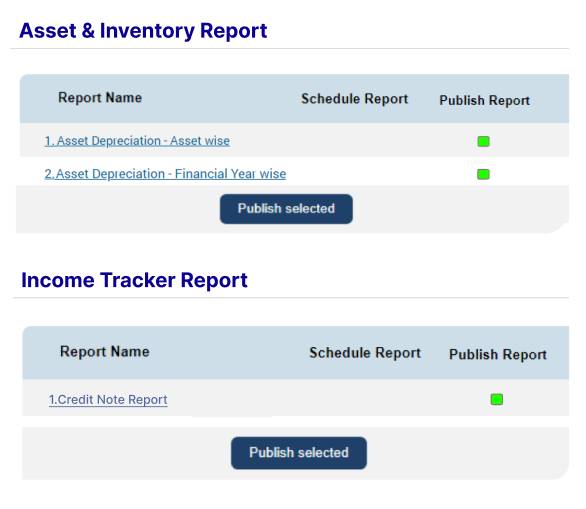
Introducing the ability to view details of credit notes raised in ADDA Accounting. Additionally, you can now specify depreciation rates for assets and generate automated reports that provide clear and transparent insights into the present depreciated values of assets. This feature eliminates the need for manual depreciation calculations, ensuring a more streamlined process for HOA Board, Management Committee, RWA, and Owners Association members.


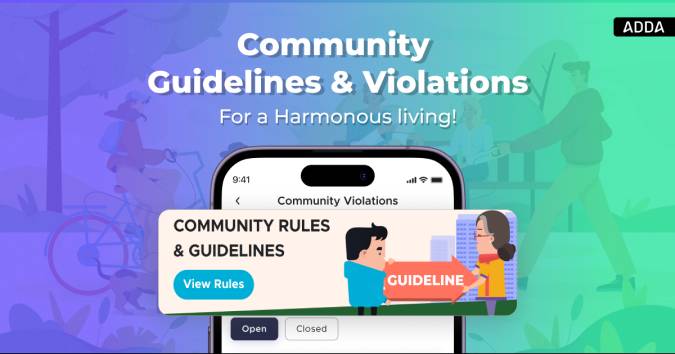
By utilising the Community Guidelines and Violation tracking module,


On ADDA ERP, Community Management Teams

- Gets option to publish Community Guidelines and Restrictions list

- Can setup approvers for reviewing violations raised

- Can setup penalty amount, warning configurations for violations raised


On the ADDA app, residents

- Get to refer to the restrictions list right in App

- Can quickly view details of any violations which is raised

- Can make payments for violations from the App

Read more


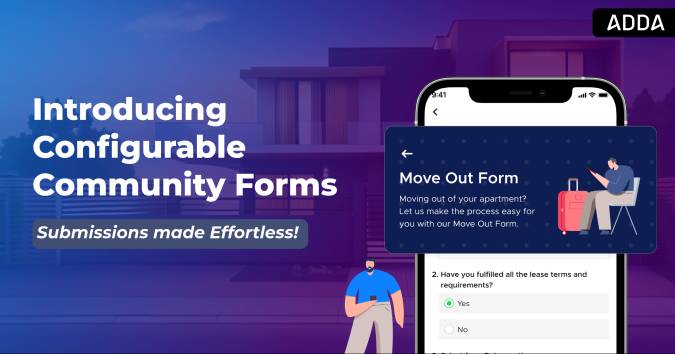
Many communities usually create forms for submission of special requests like - request for Parking Stickers, request for Clubhouse Access cards, request for Interior Renovation, etc.

To streamline the processing of such requests, Community Forms have been launched. This feature enables Community Management teams to effortlessly generate online application forms, while residents can conveniently provide the necessary information through the app. ADDA now has the option of creating configurable forms. Residents can easily view, fill and submit them from the ADDA App. Admins can view submitted forms from the ADDA ERP side.

Read more


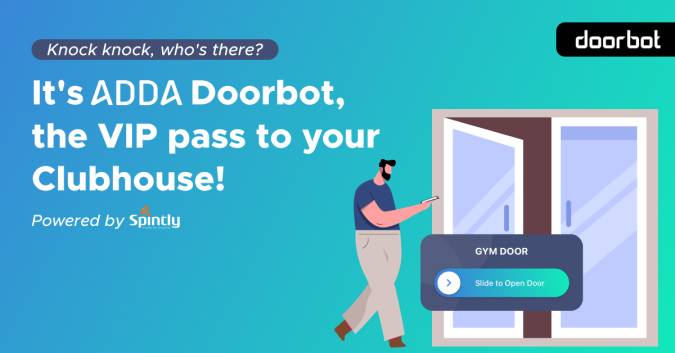
ADDA along with our Hardware Partner, Spintly, is proud to launch: “ADDA Doorbot“. Residents can now easily unlock various Access Doors like Clubhouse Doors, Buildings doors, etc. using their ADDA App.


- Doorbot provides effortless accessibility by eliminating the hassle of carrying multiple access devices like cards, keys, etc.

- With ADDA’s deep integration with Access Control devices, there is no need to maintain multiple applications. Residents can seamlessly access doors right from the ADDA App!

- Doorbot employs strong authentication methods and real-time authorization, guaranteeing that only approved residents can access community facilities. 

- Lastly, this feature also empowers the Management Committee to seamlessly monitor entry and exit logs. Therefore enhancing their incident investigation capabilities.


Read more.


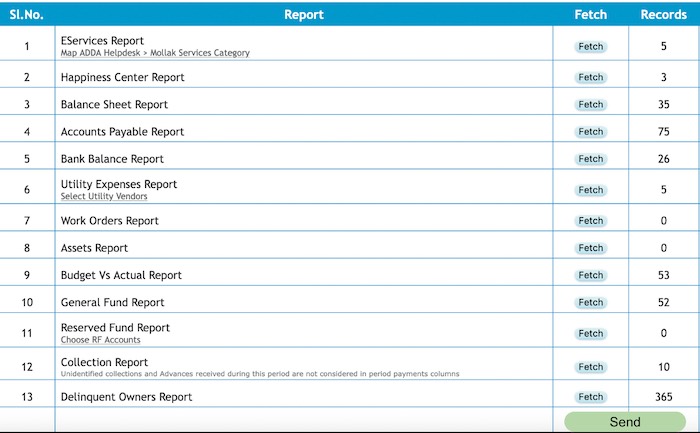
Mollak is an online system developed and maintained by RERA (The regulatory arm of Dubai Land Department) that ensures transparency for property ownership in real estate. Unit owners can pay service charges directly into this portal to avoid any chances of impending conflicts or inconvenience. 


The primary aim of Mollak is to create transparency in owners’ associations and instill trust in present and future owners!

RERA has been a visionary body which has been implementing several forward thinking initiatives over the last few years! ADDA has always been a forerunner in partnering with RERA to roll out the initiatives to ADDA’s users. The latest of RERA’s initiatives was to collect information across various facets of Community Management (Helpdesk, Budgets, Expenses, Collections, etc.) and present them as Management Reports in the Mollak System. This enables the regulatory body of have an insight into the internal running of every Residential Community! 


Presently 12 reports are being generated from ADDA and sent to Mollak for effective reporting in the Mollak system.

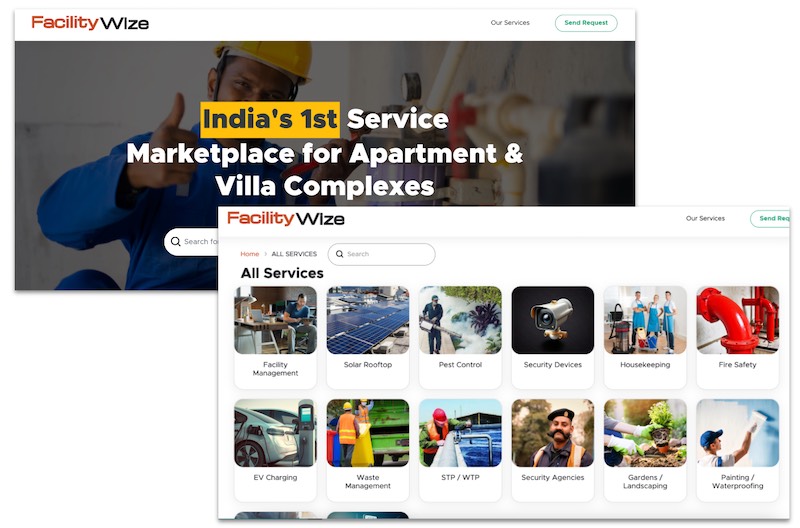
Are you facing challenges with any of your existing Service Providers for your Community and don’t know how to look for an alternative?


Explore initiatives like Solar or Revenue generation and find the right partners and possibilities for your Community with FacilityWize (https://facilitywize.com/)


With 14 years of thought leadership & rich experience in managing gated communities, we are building this unique solution, where Management Committee members can find trusted vendors for their community.


Here's how FacilityWize benefits your Management Committee

  • Simple and convenient way to find vendors for services like Common Area Maintenance, Pest Control, etc.
  • Unique and Innovative services like Facility Management, Security Services, Solar Rooftop
  • Curated set of 1000 vendors and 250 Services
  • Get exciting offers for your Community


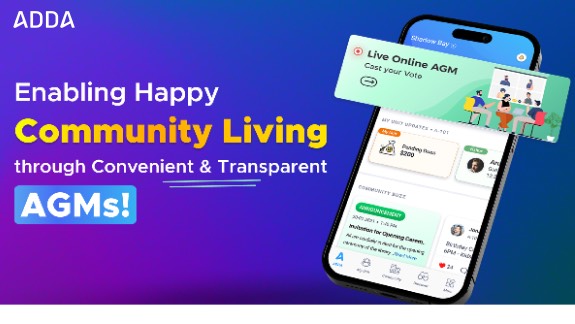
In a residential community, AGMs hold immense significance, where a lot of critical discussions happen and important decisions get taken. Being able to conduct AGMs in a convenient and transparent manner goes a long way in enabling harmonious and happy community living.


ADDA is all set to release a comprehensive Online AGM module (only for few select geographies for now). With ADDA’s new Online AGM, you can save up on a ton of manual effort and trouble by conducting the entire AGM from the convenience of your computer screen.


Below are the top 5 Salient Features of the Online AGM Module:

1. Setup AGM (setup multiple Agenda, Description, type of majority required for the agenda to get approved, etc.)

2. Sending out Automated Invites to only authorised attendees (As the community master data is already setup in ADDA, the system automatically chooses the primary legal owner and sends the invite only to them)

3. Smart Voting for AGMs (App based Voting for the agenda items, where voting can be enabled for one agenda at a time for better control of the AGM, real time visibility into the votes being cast)

4. Ability to collect and record votes of offline participants to the AGM

5. Ability to record MoMs and keep history of previous AGMs in ADDA


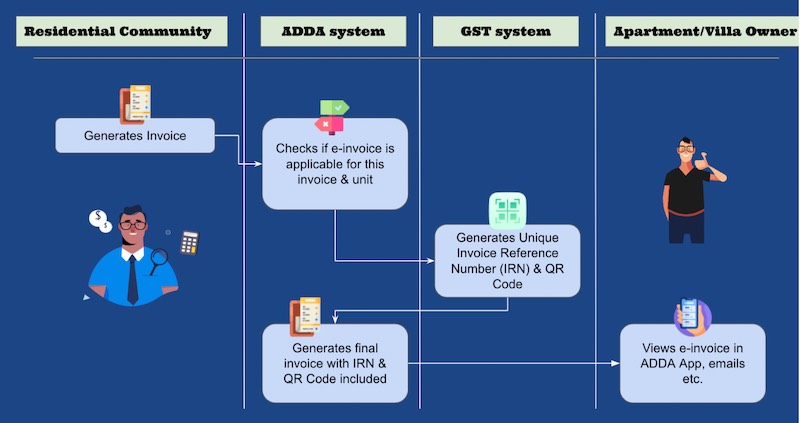
e-Invoicing under GST regime in India, denotes electronic invoicing defined by the GST law.


Towards this, GST-registered businesses who has revenue above 5 Cr (This limit is applicable from Aug 1st 2023, according to the latest circular from Central Board of Indirect taxes and Customs. Currently limit is for 10 Cr.) must generate e invoice for Business-to-Business (B2B) transactions.


ADDA enables a completely automated and integrated e-invoicing generation process. 


With the e-invoicing system in ADDA, you need not maintain 2 systems for generating your normal invoices and e-invoices. All invoices can be generated from ADDA itself. Read more about the feature here.


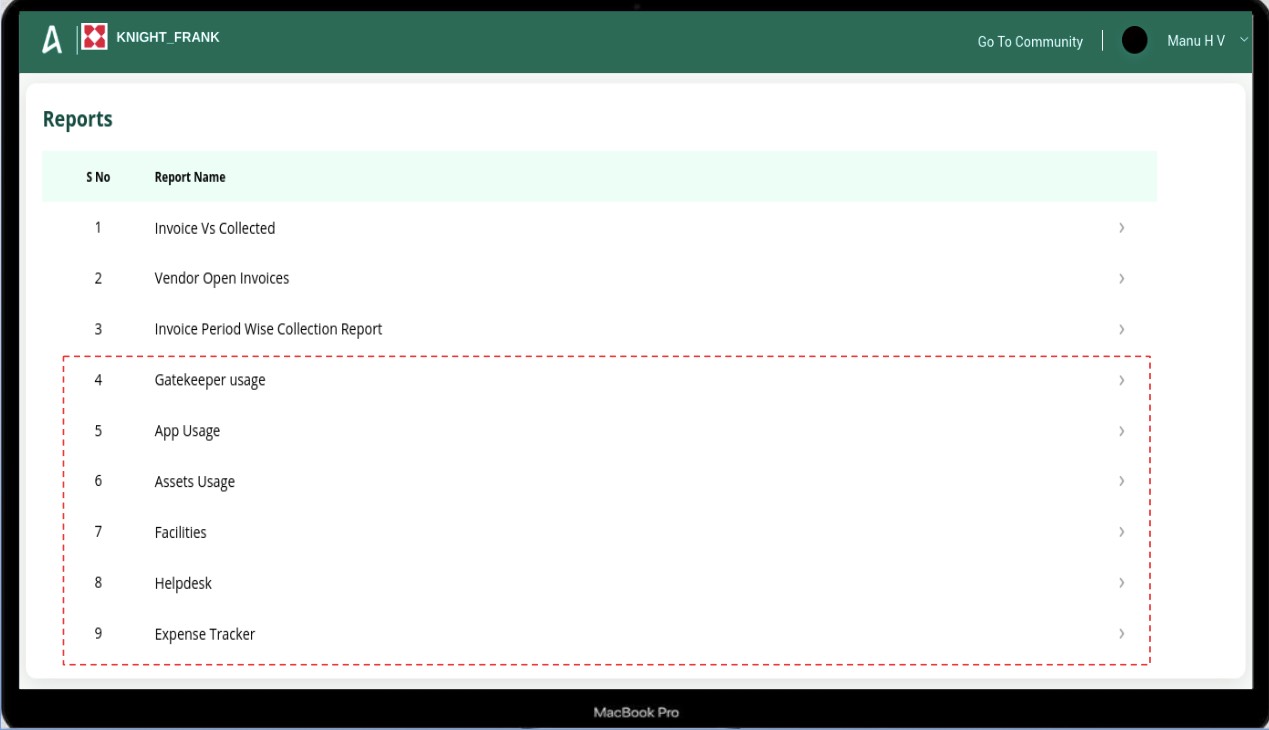
We have just upgraded our CCC to provide you a better view of Community management related metrics of your properties. 

Create robust MIS reports with actionable insights across various aspects of community management & accounting, including Helpdesk, Expense, App Usage, Community Amenity Usage, Visitor and Staff Attendance, Asset Usage, etc. 


This helps you gain a deeper knowledge of your team's performance across all of your properties and give a rich resident experience to your residents.


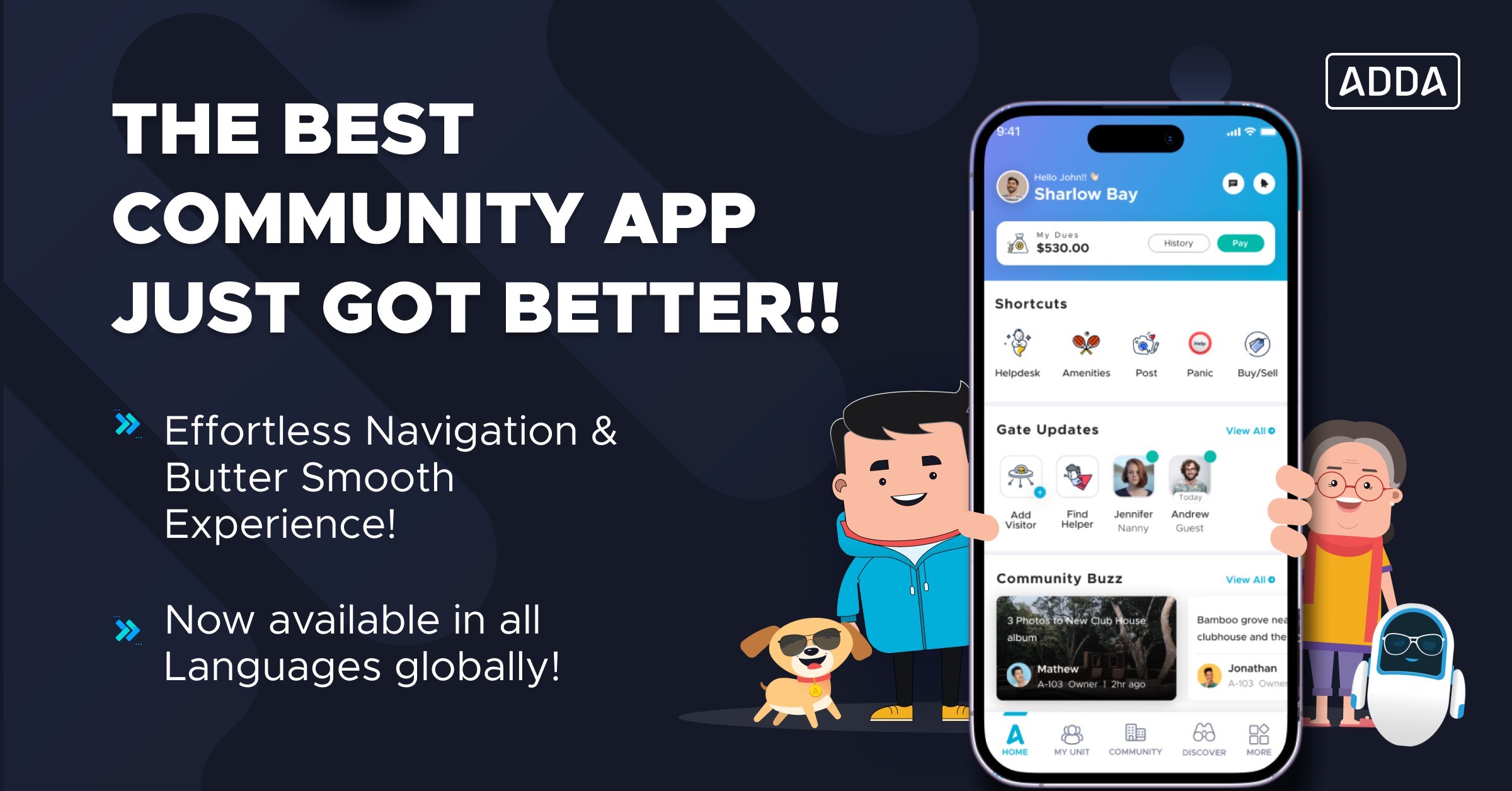
We just made a major upgrade to your favourite Community App – ADDA! It now comes with a brand-new look and sleek user experience.


Standing true to our commitment to provide you with the best Community App, we did some major changes related to how you experience the App. These changes were backed by information obtained from user interviews and the data analysis we conducted over the last year.


Here are a few major changes that you can find in the new ADDA App:

  1. A UI Revamp enabling faster navigation in the app and a smooth user experience putting Community essentials like Helpdesk, Facility Booking, Panic Alert, Buy/Sell, up-front-and centre!
  2. The ADDA app now supports all global languages, making it easier than ever to build and manage your community, no matter where you are in the world. 
  3. Upgrades to multiple modules like Discover, Community, etc.
  4. An enhanced Conversation experience that now proudly positions ADDA as the best Social Networking App for Residential Communities!


Read more here: https://adda.io/blog/2023/02/allnew-adda-app/


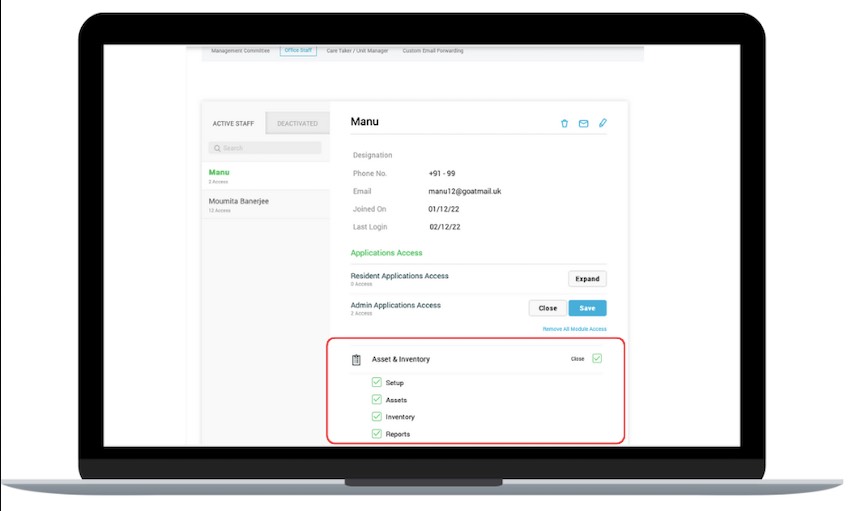
The Advanced Access Control option is now available for multiple modules like

  1. Facility & Activity,
  2. Assets & Inventory,
  3. Staff Manager,
  4. Announcement Manager and
  5. Parking Manager.


With this option, you can now ensure that the core configurations which are powering your Community Processes do not get accidentally altered by your operational staff.


Find this option under "Units & Users> Access Control > Office Staff > Application Access> Admin Applications Access"

Helpdesk has been upgraded!

Mark multiple units while creating a new community request, or while converting a request from 'personal' to 'community'.


Approval at your fingertips!

Admins can now approve or delete announcements on the go from Admin App!


Send out announcements to multiple recipients

Gone are the days when you had to create the same announcement multiple times only to send it to multiple blocks/buildings. You can now send announcements to multiple blocks/buildings in one go from the Admin App.


Introducing Gatekeeper Incident Reports

Admins can now use the Admin App to keep track of any incidents reported from anywhere in the last week!


First Response Time in Helpdesk Reports!

Are you finding it difficult to track the effectiveness of your helpdesk team? Find the “First Response Time” in Helpdesk Reports and find out if your helpdesk team has started working on requests.


Benefits:

i. Base your SLAs better by monitoring the response time from your helpdesk team.

ii. Improve resident satisfaction and pacify anxious residents by notifying them on the commencement of work on their helpdesk requests.


Send Announcements to multiple blocks in one go

Gone are the days when you had to create the same announcement numerous times only to send it to different blocks/buildings. You can now bulk shoot announcements to multiple recipients (blocks) at the same time.


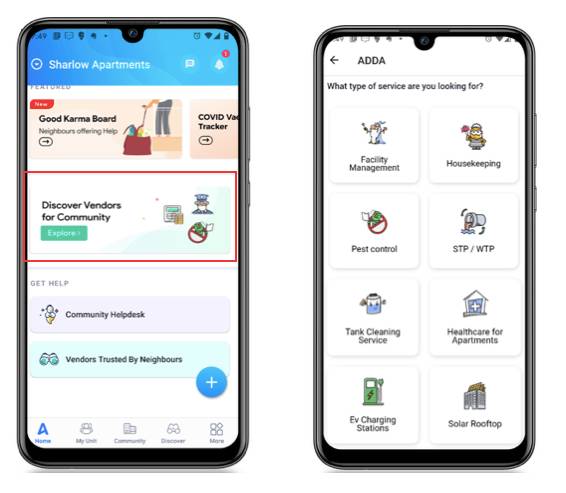
Community Managers and Management Committee Members often spend an inordinate amount of time in finding the right Vendor for various aspects of the Community.


ADDA plugs this gap with the launch of its Vendor Marketplace for Associations – Discover for Association. Simply provide your requirements, and you will start receiving Quotes! This Marketplace is in line with our vision to build strong ecosystems around Residential Communities. 


May the Top Quality Vendors dedicated to building happy Communities, flourish!


In this platform, we are also curating various unique vendors who offer hard to find services like Solar Rooftops, EV Charging Stations, Health care centres for Communities, Pre School setups in Community, etc.


So go ahead! Enjoy shopping the Best Services for your Community!


We are constantly on the lookout of good payment gateway providers, who can give our customers good service, as well as, Best rates for payments.


Driven by the same goal we recently integrated with Cashfree, now a leading Payment Gateway provider in India.


We are piloting their Payment Gateway services with few ADDAs now. We will be rolling this out to more Communities going ahead.


We process a huge amount of community due payments (To the tune of around 90 Crores per month). Having integrations with multiple PG partners, gives us flexibility, and maintain stability in operations.


Fun Fact: As of now we are integrated with 9 Payment Gateway partners across different countries!!


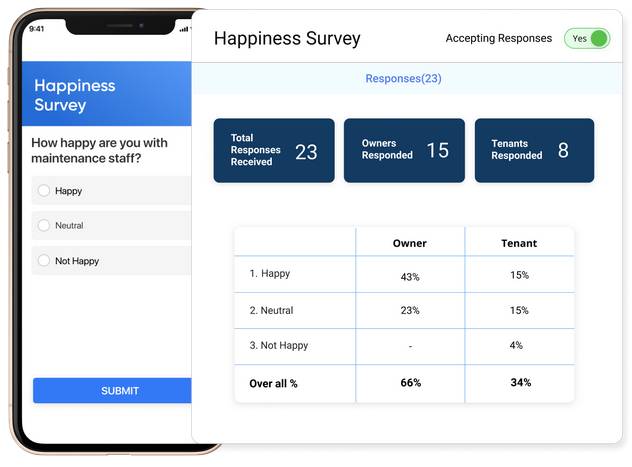
Community living is all about collaborative decision making & without feedback from Owners, Tenants' decision-making is next to impossible. 

Our latest release is Surveys in ADDA. It provides an extremely powerful tool in the hands of the management team which can be used for various purposes like collecting data, detailed feedback related to issues and vendors, creating registration forms for events, etc. - the possibilities are endless.


Salient Features:

  1. Anytime, Anywhere: Provide responses to Surveys at your convenience using the ADDA App
  2. Save on Effort & TIme: Compared to other popular tools like Google Forms, Surveys in ADDA removes the need to capture details like name, contact details, apartment/villa number, etc. as this information is already available in ADDA.
  3. Easy Management: Easy management with multiple features like the ability to maintain the history of all surveys in one place, the ability for multiple admins to collaborate on surveys, etc. 
  4. Secure: When you run a Survey in ADDA, you can sure about the authenticity of the data.


As Gated Community living popularises, the residential real estate market is seeing a growing shift to outsource their Community Management to third-party property management experts.


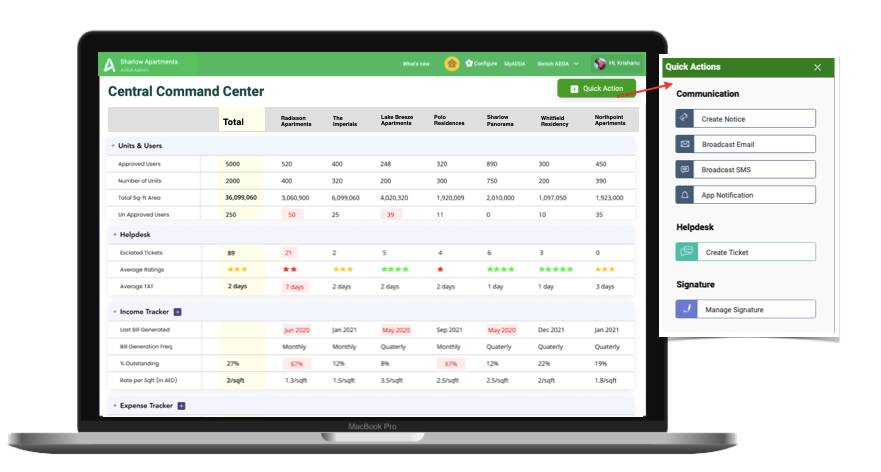
Not just that – large gated communities who want to keep the administration among residents, are choosing to form smaller Associations for ease of Administration. Like always Team ADDA comes to the rescue with its Brand New Launch – The Central Command Centre in ADDA Enterprise.


This is One single screen that brings together all things important from across your properties.


With more metrics and more quick actions, this is the ONE screen that will help you save substantial time and cost with actionable cross-property insights.


Salient Features:

1. Multi-Property Metrics

2. Configure Escalation Points

3. Actionable Insights

4. Quick Actions

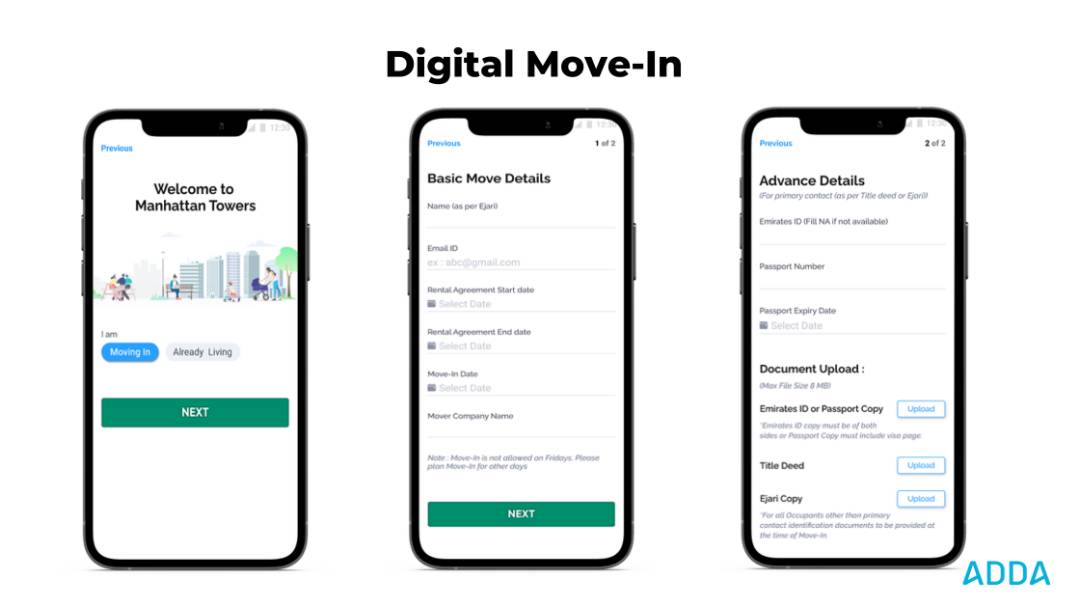
We just launched a simplified and revamped move-in flow for tenants & owners, in the ADDA App.


  • Important details and documents such as move-in date, title deed copy, passport details, and Ejari copy (for tenants) are captured before a tenant/owner moves into the community.
  • A robust approval process is also built-in, where Admins can set up multiple levels of approvers.
  • This feature helps admins to keep track of move-ins easily and gives residents the convenience of a hassle-free move-in without the stress of running around the last minute to submit documents.


Note: This is only released for a select few Dubai ADDAs for now. It will soon be rolled out to India as well.


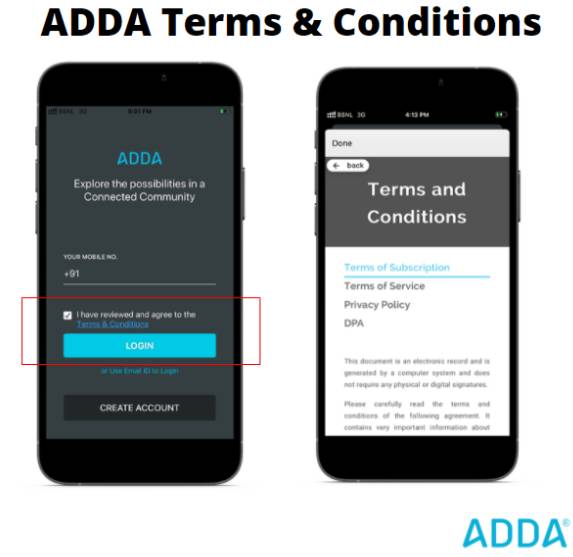
All users must now agree to and follow our terms & conditions to use and access our portal or mobile app.


The Updated Terms & Conditions consist of


1. Terms of Service

2. Terms of Subscription

3. Privacy Policy

4. Data Processing Agreement


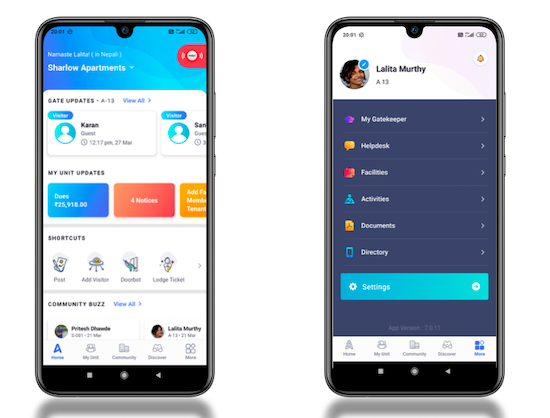
Now maintain everything related to your Community & Home from One App.

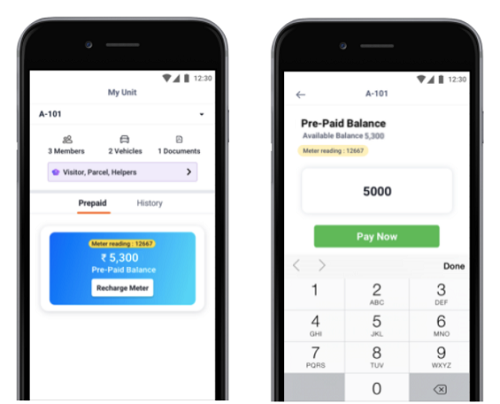
Your ADDA app now has integrations with major prepaid electricity meter providers. Right from the ADDA App, now you can recharge your meter as and when the balance runs low. Paying bills is now just a few clicks away.

Here’s how: My Unit> Prepaid > Recharge Meter.


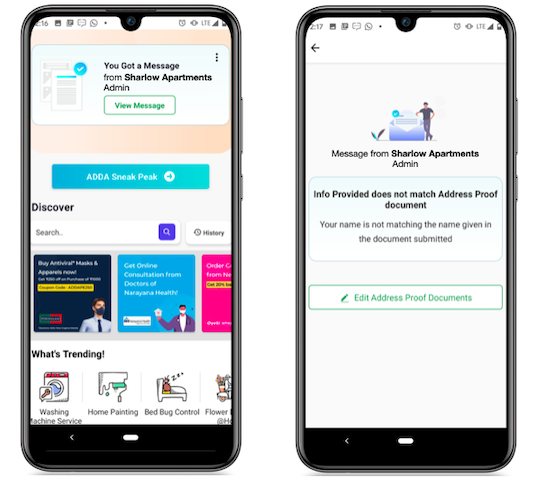
While approving the owner's/tenant’s request to join your ADDA, do you often want to suggest a few corrections, say, in the Documents uploaded by a Resident in Join Flow?

But reaching the users and getting this correction done takes a long while.

We just made your life a lot easier now.

Now Admins can view the user details, Approve or Suggest corrections from a single screen in Admin Portal.

One can do so by going to Units & Users > Unapproved Users > User > View Details

The Message posted by the Admin will be visible to the User in ADDA App.


Have you checked out the New ADDA App? Oh you must if you have not.

With a new home page and a navigation revamp, we are sure you will find using the ADDA App much more easy than before.

The home screen highlights the important updates related to the user’s Apartment/villa/condo, the user’s community and security gate/front desk. Among other features, the home screen also includes a shortcuts menu, using which users can perform various actions quickly.

This is a release which you will love and will change the way you interact with App completely. Go ahead update your App right away.

Are you finding it difficult to keep track of new residents moving in? Are you worried that they are missing out important alerts and communication from the Admin?

All you need to tell them is “Join ADDA”

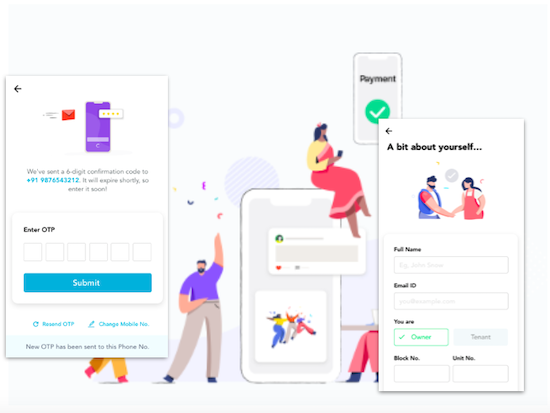
With our newly released Join ADDA flow, a super simple and intuitive flow, everyone will love joining ADDA.

Maintain a vibrant community, have all residents on ADDA!

It is our goal to make Community Management as easy and transparent as possible. In ADDA, almost every action is logged, so that each action can be audited and traced.


With the same vision in mind, we added logs in few more modules:


  1. Unapproved User Logs : Logs whenever a resident detail is approved/edited/deleted

  2. Moderator Forum Logs : Logs whenever a forum moderator has moderated some content or has made changes to any of the forum moderation settings

  3. Admin File Logs : Captures whenever an admin uploads/deletes a file

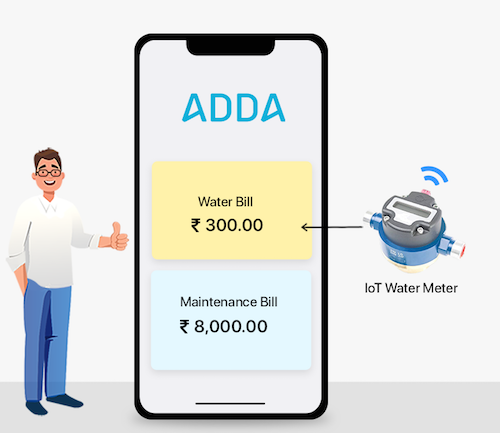
If you already have or are planning to get started on having water meters installed for your Community, there are 2 issues which might be bothering you:

1. Hassle of maintaining 2 Owner/tenant database

2. Maintaining accounts in 2 separate systems

ADDA has now APIs for integrating with water metering solutions. This integration is already being implemented in an Apartment Complex in Bangalore as a pilot.


Solution Details:

1. Maintain your central residents database in ADDA.

ADDA APIs can be used for various instances where the water metering provider need the residents data. Example:
  1. For logging into the water metering App
  2. For sending broadcasts to residents
  3. For sending alerts to flat members for leaks, etc.
2. Pay all Apartment Related dues from one App. Maintain all accounts in One System

Water usage related invoices are generated in the water metering solution.

Details like invoice date, due date, consumption amount, due amount is sent to ADDA, and an invoice is published in ADDA also.

Residents can view this invoice inside My Unit in ADDA, along side other bills generated from ADDA, and can pay from the ADDA App.

a. New Editor

Did you know you can create your own microsite with ADDA? Head to "Setup ADDA Profile" module in ADDA Admin section.

With our new editor here you can make your microsite more engaging. There are options to add images, video previews, there are also various font and color options which you can explore.

b. Downloadable files option

For FAQs or forms like Move In/Out forms, you can upload everything in this microsite. As an Association Committee member, you can share this one link to all new people moving in for any downloable forms or documents.
This will help you create more engaging notices, add images to it more easily.

Advantages:
  1. Easy to embed image in the Notice. Just click, select and add from PC/Mac
  2. Image comes up properly in the Apps
  3. Support for other formatting like font size, color, different fonts, etc.
Where to Find:
  • Post Notices in ADDA Admin side dashboard
  • Create Notices from MyADDA in residents side
adda.io Website

Our website adda.io got a new design revamp. In the website we have tried to explain in a comprehensive manner, ADDA's Product offerings, Packages and Product editions.
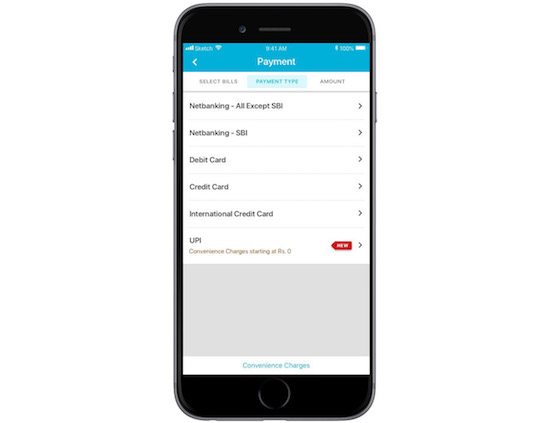
UPI in ADDA!

UPI as a payment method was a recent major release! This is why this release was significant:
  • For the FIRST TIME EVER, we have a payment method with 0 Convenience Charge!
  • Through integrations with Apps like Paytm, PhonePe, Google Pay or BHIM, customers can start getting CASHBACK for Maintenance Due Payments


Access it here: You can click on any open invoice, and in the screen you see Credit Card, Debit Card, etc. as payment options, you will also find UPI as an option.
ADDA Clubhouse is another product which is brewing as a part of ADDA Labs.

With ADDA Clubhouse we plan to provide full fledged facility management solution for large Apartment Complexes.

As Phase 1, we released automatic access control of owners/tenants to Clubhouse through ADDA, using integration with biometric devices and access controlled doors.
If you have a child or an elderly parent who does not have a mail id or phone number, but you want them added on ADDA, then you can add them as Family Members.

We have now provided ability to upload photos for Family Members in ADDA. With this, if you are using ADDA Security, then you can also generate resident ID cards for all Family Members.
New Admin Dashboard is released! It is slick and beautiful, and we are sure you will love the look of it!
  1. Based on user feedback and usage intelligence we have identified the most used modules and given more focus to them
  2. Boxes has been changed to cards with meaningful numbers in them. They are also enriched with relevant call to actions
  3. Modules are grouped into logical sections. This will help in quickly finding a module
  4. Graphical representation of important data like collections, dues, expenses vs budget
Notifications in web portal for Admins.
If any user has ADDA admin side open, then this immediately alerts the user of Admin side activities like:
  1. Helpdesk Ticket - Create, Update, Closed
  2. PR - Created
  3. Admin Files upload
  4. When any new user is waiting for Approval under "Unapproved Users"
We have resolved the logging issue - our log database had overflown and we have setup auto archival so this does not repeat. Entropy always increases...sigh.
Service Tax for Housing Societies - Impact of Budget 2012 [ Read More ]